


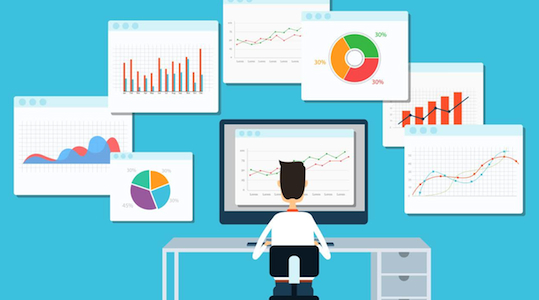
Dashboards are great way to provide project status updates to your stakeholders. Creating a dashboard with visual content will help you to attract the attention of the reader and get your message across. In the article '5 Tech Trends Every PM Should Know', Elizabeth Harrin discusses visual data presentation as one of the trends to watch. Her advice to Project Managers is to make dashboards and visual reporting part of stakeholder communications.
Coming up with a good project dashboard takes time. You will run through several different versions before finally nailing down a template that will suit your audience but, this effort will payoff in the end.
A few things to keep in mind,
- Keep the pages clean and don't overcrowd them with data. A good rule of thumb is one graph or table per page and 3 - 5 bullet points of the highlights.
- Limit one topic or item of your update to one page.
- Add appendices or insert supporting documents if you want to provide additional details or historical data. This way, whoever wants to get into the details will have the information available.
- Link to organizational dashboards as much as possible if the relevant information is already available there.
Once you get all the project information up on a dashboard, status reporting becomes simple. Make a habit of updating the dashboard once a week and keeping the information available. Then, all you have to do is send the relevant sections of it to various stakeholders for status updates. Not everyone will need all the information. The dashboard will also come in handy for ad-hoc reporting.
Following are some of the key pieces of content that can be included in your project dashboard. You can customize the final status report based on the audience. My suggestion is to create a comprehensive dashboard and select the sections that are relevant for different forums and stakeholders to create your status updates. The complete report can be used for status reviews with the project team.
- Executive Summary
- The highlights of the status update
- Table of action items from the previous meetings
- Milestones in a timeline
- Using a graphical format similar to a Gantt chart is a good option
- A summary of the status of the current tasks
- Defect trend charts
- Defect RCA trend charts
- One option is to depict the number of defects by root cause categories
- Important RAID items
- Revenue and margin trends
- KPI and/or SLA trend charts
- Current and planned team composition and resourcing
- This can be presented in a bar graph for each quarter.
- Certification status
- If the team is expected to complete certifications / training.
The key point to note is to create visual representations (charts, timelines, etc.) for these topics. For some, like risks and issues, you may use a table format, but you can add some graphical elements to it. For example, incorporating emoticons with the RAG status.
Here are some resources, that you can use for creating a project dashboard.
- Project Status/PMO Dashboard (Simple)
- A downloadable template to create a simple graphical summary of the project status
- Project Dashboard
- A downloadable template to create a project status summary. This template is more complex and includes details such as scope, current phase (status), cost analysis, change order tracking and status, earned value analysis etc.
- Driving a Quick-Glance Status Report
- This article gives some ideas to create a 'quick-glance' dashboard.
- PMO Dashboards... Without the Pain
- Another article that provides guidelines to build a dashboard. A key point discussed here is including value-add data.
- Dashboards, Scorecards and Project Status (Oh My!)
- This article discusses the one-page status report and presenting a summary status in graphical format.
Project managers should decide the level of complexity they want to have in a dashboard and tailor it appropriately for the audience. Feedback from the stakeholders will also determine how the information is presented. Keep the report simple to make it more readable.
Are you an advocate of project dashboards? Please share your views in the comments.





