


Mapping Out A Change


| Situation: You think a change might be just what the doctor ordered... In hard times, industry experts always tell us to focus on process improvements with an eye toward cost reduct  ion and ion and  competitive advantage. If you think about it, that approach makes a lot of sense in that it usually involves relatively small financial investments. It also lets you record some of the “know-how” that’s all pent up inside of your employees. It’s really one of the best ways you can “do more with less”. However, many companies that intend to revamp processes end up not doing it. Why is that? competitive advantage. If you think about it, that approach makes a lot of sense in that it usually involves relatively small financial investments. It also lets you record some of the “know-how” that’s all pent up inside of your employees. It’s really one of the best ways you can “do more with less”. However, many companies that intend to revamp processes end up not doing it. Why is that?To find out what’s happening in the industry, I recently spoke with Mike Cunningham, CEO at Harvard Computing specializes in process improvement. They interact with large numbers of people and companies who are trying to improve in the same ways you are. We asked him a few questions related to the barriers he sees cropping up during these efforts and how people get past them. Q. If improving processes is always so high on many “industry pundit” lists, why don’t more than a small percentage of companies do anything about it year after year? A. A great question, the short answer is it is difficult. Resistance to change often predicates many change management programs. In general the larger the firm the better organized the resistance. To be honest, senior management has to take the responsibility, as they are the only ones who can really encourage and create change around processes. Look at the US domestic auto industry today. It is a model for how not to deal with process improvement over time. In contrast, the Japanese auto companies have embraced a philosophy of continuous change, resulting in a consistent culture of quality and change. They now lead the industry. For organizations who are not fainthearted, improving processes will be high on their list and they will commit to getting it done. Others will follow eventually, sometimes kicking and screaming. Q. These days, what are the most common ways that companies realize they need to change processes to improve results? What’s typically the trigger? (has that changed this past year?) A. The realization often comes from a combination of needs for improved efficiency, quality or governance. In years gone by, these initiatives were often viewed separately, but in the past two years processes are being looked at holistically, with the need for all three to be addressed. Cost cutting is obviously high on the list these days, whether by outsourcing or automating. The bottom line is understanding that all aspects of the new process have to be dealt with simultaneously. Today the main triggers in business operations are; • Cost and quality control which are bigger drivers in the large firms; • Growth and operational efficiency which tend to drive the faster growing smaller businesses. Q. How does one go about getting support for process change efforts within their organization? A. Rather like learning Project Management, we are certainly not born with the skills or frameworks to make this happen. However, they are out there. There are three things you need: 1. Support from Executive Management. This will be the channel to get goals and objectives set, budget approval and resources assigned. Get yourself a sponsor who wants you and the project to be successful. 2. A tried and true framework for running the process change project. Unless everyone is on the same page to achieve results, projects can go round in ever decreasing circles. 3. Focus on the process change that has enterprise benefits. Most of the big dollars are not in small improvement in departments or silos, but cross functional improvements that dramatically alter the characteristics of the business operations. This is why many organizations focus on ERP, CRM and enterprise communications activities. Q. Meaningful process improvements often involve significant changes in the way people work. What are the top three keys to creating change that works for everyone involved? A. 1. Focus on the goals or results that the organization needs to achieve. It is often difficult to separate the “current state” from the individuals involved. By keeping the center of attention on how to achieve new goals, will help depersonalize the project and make it easier for everyone to concentrate on the common good desired from the project. 2. Ensure you have all the right people involved at the various stages of the program. This will include line management, subject matter experts, IT, QA and other business analysts and project managers affected by the areas of change. It’s a lot easier to change things with the right people in the room, and much more difficult if they are excluded from the process. 3. Document the existing process. Many want to side step this activity. Sometimes for good reasons like: a. We know our existing process isn’t that good, so let’s just document what we want the new one to be b. Why not focus on best practices and then adapt them to our needs While these are valid reasons not to dwell on existing processes, it also causes the project to not have a good set of business rules and requirements. A recent study from IAG Consulting shows a shocking 68% failure rate amongst certain IT projects, primarily due to poor discovery practices. Q. Once you’ve begun a process improvement effort, what are the barriers to seeing that effort through? A. A few pointers can help avoid a heap of trouble. 1. Looking out for trouble and change. Every process change project is by its nature a moving target. Usually looking for areas where automation, reduced timeframes, increased throughput require monitoring how the new process(es) work together. Inevitably, things will change, so be on the lookout for opportunities that will assist or slow down the project. 2. Communicate. Communicate, Communicate. If you are the lead on the change management project, do not assume that everyone is up to speed. Continuous effective communication will keep your team on the same page, and make it easier to avoid those “I didn’t realize we were going to do that” moments. If the organizations’ communications standards are not as rigorous as you need, rather over communicate with the team. Use multiple channels to ensure the message and details from each stage are understood by everyone. 3. Educate the team in key areas of change. If you are looking to change something in the process that involves new practices or procedures the team will not be familiar with, then educate them first, before you try and force-feed the change. e.g. ITIL Best Practices for Service Management, self-service applications, web 2.0 developments … Q. What’s different about the ways that you work with your clients? (what are you particularly mindful of or focused on) A. In the past 5 years, there has been a huge change in the way we work with clients. The biggest change is having clients do much of the process change work themselves. This has meant building products that allow the clients to document their own processes and only employing change management and project consultants for the real valuable part-. Facilitating the change in their organization. In today’s economic climate, organizations are trying to take the mystery out of process-based technology so they can control their own processes directly. They also want to do this at the lowest possible cost to their organization. Our focus has been to create simple to use products that integrate with desktop and web technologies. The TaskMap product line has been very successful in that regard, and we will be furthering the accessibility goal with a new version of the product called TaskMap Lite that is royalty free and has a 10-minute learning curve this month. The product will be released on a Microsoft CD in early February. Gantthead community members can get an exclusive preview of this at http://www.taskmap.com/TaskMapLite.html Our clients are voracious about demanding simple to use technology for their projects they can deploy quickly. I think the same will happen in the Project Management market over time. |
Posted on: January 21, 2009 02:46 PM
| Permalink |
Comments (3)
Top 10 PM Trends for 2009
| Situation: You like top ten lists that are, well... not so funny. ESI International just released a list of Top 10 Management Trends for 2009. Their most experienced consultants and  Senior Management say these trends point to organizational need for expertise while coping with tighter budgets, fewer financial and human resources, and change. Do you believe that this is where your should focus in 2009 to drive project and organizational success? Senior Management say these trends point to organizational need for expertise while coping with tighter budgets, fewer financial and human resources, and change. Do you believe that this is where your should focus in 2009 to drive project and organizational success? I put a few notes in here myself in italics. I also put a red star next to those that I think will be particularly important this year. The Sandwich Generation: Middle Managers’ Emerging Role in Change* Seventy-five percent of all change management programs fail because of a lack of employee support. Today’s economy will force organizations to confront the important roles middle managers play in the success of change efforts. Middle managers’ roles will shift from simple messenger of directives ‘from above’ to creating a positive environment to enable change, accountability and ownership of change initiatives, achieving the full benefits of change and ensuring return on investment. Note from Dave: I think the need for middle managers to sell change has always been there. The thing that will make a real difference is whether they get to participate more in defining the change up front - so that they actually believe in what they are selling.
Navigating Virtual Teams through Change* As budgets tighten, the role of virtual teams will grow along with the demand for the skill sets to manage them, especially through change. Powerful communication, key management strategies and new rules of engagement will be required to manage virtual teams as organizations seek to effectively shift with the turbulent global economy. Note from Dave: This is most certainly true. Although I hear a lot of chatter about local staff moving back into the office as things tighten up, outsourcing and nearsourcing are still very hot. Sharper Distinctions Between Project and Program Management Many global organizations have managed programs with the same methods used to manage projects, with predictably disappointing results. Programs are not merely “bigger” projects, and program managers aren’t simply professionals who are one step up on the organizational ladder. This year will see an increase in the understanding of the cardinal differences between projects and programs and the utilization of strategies to boost program managers’ effectiveness and increase program success. Note from Dave: Ganttheads know the difference. PMI and PgMPs know the difference. I'm not sure that the world does or if they care. They care about portfolio issues and getting the right things done, certainly - but I still think that it may feel like semantics to many executives.
Leveraging Communities of Practice To Hone Skills The number and importance of project management communities of practice will increase significantly in 2009. These informal communities will be highly prized for the lack of bureaucracy that increase the sharing and use of best practices, enabling increased dialogue to overcome challenges and growing future leaders. Note from Dave: Always on the annual wish list.
Strategic Selling of the Project Management Office Although the project management office has gained wide acceptance, it still needs buy-in at the senior executive level. 2009 will see an increase in the importance of quantifying the PMO’s value and how to present that data to the CFO to ensure funding in what promises to be highly competitive arena for organizational resources. Note from Dave: Feels like this has been true for a while.
Back to Basics for Successful Project Portfolio Management More than any year in recent history, 2009 will be a critical year for ensuring project success. Project managers will increase their emphasis on the basics, taking a first-things-first approach and address fundamentals such as gaining and sustaining executive commitment, addressing gaps in the alignment of organizational strategy and projects, project selection, and efficient measurement process while leveraging existing resources to increase project success. Note from Dave: The successful ones always do this.
Right-sizing Staff with Demand Driven Resource Management* The adoption of Demand Driven Resource Management will increase significantly in 2009. Its ability to right-size internal staff and draw on outside contractors when demand requires will be viewed as an essential cost containment approach leading to greater organizational performance and efficiency. Note from Dave: It's a good time to lay off people on the margins and be cautious about hiring FT employees.
Improved Requirements Metrics* The economic need to accurately assess and evaluate the organizational and cost impact of project requirements will bring a greater role for requirements management and development. Also known as business analysis, RMD’s ability to provide quality metrics that project and portfolio managers can use to assess the economic, performance and feasibility value of each project component will become essential to organizations successfully maximizing the ROI of their projects. Note from Dave: Accuracy has always been the goal. Demonstrable cost savings is pretty much the only valid justification for new projects in most organizations right now. Realistically the metrics merely have to look solid and compelling to sell. The real guarantee is the fact that you stake your reputation and/or job on the outcome.
People Will Come Before Technology* Organizations will increase their demands for smart third-party guidance that ensures technology investments deliver enhanced performance. This will result in greater recognition of the critical role people play, leading to increased recognition that employees need the right skills and knowledge before applying processes for consistency and adding technology to deliver increased efficiencies. Note from Dave: Careful hiring and assignment is definitely the rule right now because results = job security.
Risk Management for Governance * In 2009, many organizations will say goodbye to the ‘one number’ method for project outcomes and embrace a quantifiable range of potential results on which to base decisions. Recognizing that best governance hinges on the availability of quality information at the project level, education and leadership in risk management and best practices permeate organizations wanting to optimize project forecasting to deliver more effective governance. Note from Dave: More people are finding more ways to cover their butts if things so wrong.
“While these trends are about doing more with less, they all speak to the concept of less is more,” said J. LeRoy Ward, PMP, PgMP, Executive Vice President, ESI International. “In 2009, more than any time in recent history, empowering people with the right skills, knowledge and tools to pick the right projects, ensure support for change and effectively track progress for smart governance will be key to project success – saving time and money while driving organizational success.” |
Posted on: January 19, 2009 12:34 PM
| Permalink |
Comments (5)
PM Training - Why?
Situation: You are thinking about a PM training buy. This morning I had an email exchange with one of our members, Dan Fitzpatrick (who sells PM training). Dan said some nice things about gantthead and asked, This morning I had an email exchange with one of our members, Dan Fitzpatrick (who sells PM training). Dan said some nice things about gantthead and asked, "I want to do the best possible job with providing clients solutions that will provide them solid results with our great programs. What would you recommend salespeople in pm know to better understand companies training needs?"
My response was: IF YOU ARE SELLING TO INDIVIDUALS New PMs really need: - practical ground level techniques, basic skills, opportunities for experience. The kind of stuff you find in Rita M's Crash Course book. New PMs end up getting certification training because the PMP is a door opener. New PMs rarely worry about PM certs other than the PMP, whether they are other PMI certs or ones issued by various training firms. Everything is a harder sell than a PMP. IF YOU SELLING GROUP TRAINING Companies generally buy group training when: - times are good - they have a quality-driven requirement that all PMs are certified PMPs. - they are under stress (not historically meeting deadlines, cost overruns, projects not meeting objectives, etc.) - have some sort of board-driven program related to compliance underway. Companies need group training when: - they want to get everyone speaking the same language and adopting the same general approach to managing projects. The reason I make the buy versus need distinction above related to group training is that training isn't going to solve quality problems or other PM issues. The experience people get over time trying to apply PM approaches makes them (slowly) better. If they all see those approaches through a similar lense, it makes it easier to learn from each other's experiences over time. I could be way off base, but those are my impressions from talking to training buyers over time. What do you think? |
Posted on: January 09, 2009 09:35 AM
| Permalink |
Comments (3)
Turning Estimating on its Head
Situation: You need to take a fresh approach to estimating. Estimating tools are always interesting to understand because they reflect what their makers feel are the key inputs to the estimation process. Many of us go tool-free and estimate based on person experience and the experience of SMEs around us. We recently spoke with J. Chris White of SimBLOX about the pmBLOX product™. Whether or not you are interested in a new tool to estimate with, some of the approaches he describes are pretty interesting. Estimating tools are always interesting to understand because they reflect what their makers feel are the key inputs to the estimation process. Many of us go tool-free and estimate based on person experience and the experience of SMEs around us. We recently spoke with J. Chris White of SimBLOX about the pmBLOX product™. Whether or not you are interested in a new tool to estimate with, some of the approaches he describes are pretty interesting.Q. Can you give us a quick overview on pmBLOX™ and simulation-based project management software in general? Is the function of the software similar to Monte Carlo simulation? (What is it? How does it work? Why is it better than traditional estimating?) A. What makes pmBLOX truly unique and revolutionary in the field of project management is its underlying model is completely different from anything that’s been done before with simulation-based project management (PM). Unlike current methods like Monte Carlo (which are based on the CPM/PERT approach requiring task duration as an input), pmBLOX produces task duration and resource utilization as OUTPUTS. Work backlog, resource availability, productivity, and several other fundamental factors are used as INPUTS. In effect, pmBLOX turns the traditional CPM/PERT method on its head. (Note that this is not far off what is already done with current planning tools. When a user makes an estimate for the duration for a task (an input with the CPM/PERT approach), he/she typically has some assumptions about using particular people for particular amounts of time so that the estimated duration is not a complete guess. pmBLOX simply starts with these assumptions and makes them explicit so that they can be challenged/defended to ensure a more realistic project plan.) In the underlying pmBLOX model, a task is represented with a backlog of “work to do”. For example, a task may require 40 hours of work. If a single person works on this task for 8 hours/day with 100% productivity (i.e., each hour the person is paid results in an actual hour of task work), then the task will be completed in 5 days (40 hours / 8 hrs/day = 5 days). (If you are familiar with any simulation techniques, we use system dynamics – a continuous simulation methodology invented at MIT in the late 1950’s that is based on engineering feedback control theory.) This is a very simple example and is straightforward. In fact, this is actually what current planning tools like MS Project do behind the scenes. When a user says a task has a 5-day duration and a single resource is assigned to the task at 100% and that resource works 8 hours/day, behind the scenes the software converts that task to 40 hours. So, when the user adds a second resource, the duration is cut in half to 2.5 days because now 16 hours of work are being done each day. The difference with pmBLOX is that the user would designate the task as a 40-hour task instead of inputting a 5-day duration. Assignment of the single resource is the same. Very little difference in the inputs, but the underlying approach is fundamentally different. As long as the single resource is available as expected, the final result (i.e., task duration) is the same for both pmBLOX and the CPM/PERT approach: task duration is 5 days. However, once we changed the underlying approach from CPM/PERT to hours-based simulation, we found that the door was open to making many more substantial enhancements to bring the simulations even closer to the real-world activities that the simulations are trying to mimic. For instance, since we moved to an hours-based approach for completing work, we now had access to variables such as resource productivity. If conditions ever changed in the simulation so that the same situation in the real world would result in productivity losses for a resource, we could now incorporate that effect. As an example, imagine working overtime. As you work more and more overtime over an extended period of time, you get more fatigued and “burned out”. This is common knowledge. If you work 8 regular hours for a day, you come back fresh and productive the next day. If you work a few hours of overtime for a few days, you come back that next day a little drained and less productive, but in a day or two you are back to normal. If you work 6 hours of overtime for several weeks in a row, your productivity greatly decreases during that time (which impacts that amount of “good work” you can do) and when you come back the next day you still have not fully recovered. It takes several days or even weeks to get back to your original level of productivity, even when you are only working 8 hours a day regular time. pmBLOX incorporates this burnout effect. So, as tasks fall behind schedule in the simulation and resources are tapped to work overtime, there may be productivity losses, which makes work take longer than expected. As another example, take a “senior” level designer and a “junior” level designer. In the real world, these two people will not have the same level of productivity. For a given amount of time, the senior level designer will produce more work than the junior level designer. This cannot be accommodated in current PM tools without some manipulation or “gaming” of the software. At this point, one of two things can happen with current planning tools. With the most commonly used approach, the user does nothing to account for these productivity differences. A designer is a designer is a designer. They are all considered equal. When the project plan is implemented in the real world, the differences in productivity will change the duration of the task depending on which designer is used. Typically, because the junior designer is cheaper than the senior designer, the junior designer will be used in the real world and will be asked to keep to the schedule that was estimated based on the allocation of a senior designer (because it made the estimated schedule look better). This is a recipe for disaster. With the less-used alternative approach, the user can “game” the planning software and say that the junior designer only works 6 hours/day compared to the senior designer working 8 hours/day (to represent that the junior designer is only 75% as productive as the senior designer). This may work for the execution of tasks based on hours, but now the user must change the hourly wage rate for the junior designer to reflect that each hour (based on a 6 hour day) is more expensive than the junior designer’s actual salary (based on a regular 8 hour day). While it is possible to do all this with current tools, it is cumbersome and does not reflect reality. pmBLOX makes this process of assigning productivity levels much easier. Since you mention Monte Carlo simulation specifically, let me make a few comments about the Monte Carlo approach. In reality, the Monte Carlo approach is not a simulation, but it is an analytical approach applied to some form of simulation. So, for instance, MS Project (or Primavera or any other PM tool on the market) “simulates” a project through the use of a database/spreadsheet methodology. The Monte Carlo approach simply changes a few input variables and re-runs the “simulation” to get a different set of results. All of this could be done manually by a user, but a Monte Carlo tool automates this process and allows the simulations to occur thousands of times very rapidly. The Monte Carlo approach is typically used when there is a fair amount of uncertainty in input parameters (e.g., task duration). The output of a Monte Carlo analysis is a range of results (e.g., a range of project timelines) with a level of confidence for the most probable results (e.g., the most likely project timeline). Thus, the Monte Carlo approach could be used with pmBLOX, too. In fact, we already have that feature scheduled for a future version of pmBLOX. As stated, current Monte Carlo approaches to CPM/PERT vary the inputs on task durations, which are actually an output of all of the variables accounted for in the pmBLOX model. Therefore, you are varying real-world outputs, not inputs. With the pmBLOX approach, Monte Carlo analysis will entail varying true inputs: resource availability, hours backlog, productivity, etc. This makes the pmBLOX Monte Carlo analysis far more valuable to the user, because it will show the user which of these input variables have the most impact on a project, allowing the user to foresee pitfalls and construct management policies to minimize them. Q. You talk about having “every task embedded with a complete set of logic and rules that define how it is performed”. That sounds like a lot of overhead – kind of like figuring out what every possible variable might be up front. How do you make sure you create all of the right rules within a reasonable period of time? A. Actually, the pmBLOX simulation runs extremely fast and has a very small memory footprint. It’s not a lot of overhead because the underlying simulation models are quite basic, and all variables are not figured out up front. Variables are calculated only when the user runs a simulation. When we say that every task is embedded with a complete set of logic and rules, we mean that each task has an operational simulation model that mimics activities and decisions that would typically occur in the real world. In the opening paragraphs, I mentioned that the underlying approach is hours-based and uses the system dynamics simulation methodology. The amount of work completed for a particular task in any time step of the simulation (e.g., each hour of the day) is basically the product of the number of people assigned to the task, the number of hours those people work in a day, and the productivity of those people during that time. Three people working on a task for 6 hours/day at a productivity level of 50% would complete 9 hours of task work (3 * 6 * 0.50 = 9). This is what we call the task execution simulation. A key factor here is that the underlying system dynamics methodology is very “structural” in nature and not incredibly data-intensive. As a result, the task model in pmBLOX uses data that a good PM should already be using to make an estimate, no matter what tool they are using. pmBLOX just makes those fundamental inputs explicit and open to discussion. On top of the task execution simulation, we add real-world management decision making through several “management policies”. These management policies are a way for the user to incorporate their management style or decision preferences. For example, we give the user the ability to change the number of hours any resource works on a task and the ability to change the number of resources assigned to a task, or a combination of both, based on “schedule pressure” or “cost pressure” experienced on the project. This is another area where the system dynamics methodology provides power. The system dynamics methodology can incorporate feedback and non-linear relationships among variables. In the real world, these are what drive changes. A small change in X may lead to a small change in Y. But a slightly larger change in X may result in a huge change in Y (i.e., non-linearity. And, the change in Y may come back around again to influence X (i.e., feedback). pmBLOX uses the traditional Earned Value calculations to determine the status of a task. With EV, the two key parameters are the Schedule Performance Index (SPI, schedule pressure) and the Cost Performance Index (CPI, cost pressure). The pmBLOX user can set a management policy that says that as a task falls behind schedule (i.e., SPI drops below 1.0), assigned resources will work 1 hour of overtime. As the task falls very far behind schedule (i.e., SPI drops way below 1.0), the policy may state that the assigned resources will work 3 hours of overtime. Now, as conditions are experienced in the simulation of the project, whether or not the assigned resources work overtime will depend on how far behind schedule a particular task falls. If conditions end up being such that the task is on time with assigned resources working regular hours, then no overtime is allocated. However, if for some reason the task falls behind schedule (perhaps due to certain resources being allocated to other tasks for a portion of the time), then the management policy will “kick in” and the assigned resources will work overtime to try to get the task back on schedule. Each user can set his/her own policies. One user may have an approach in which overtime is assigned in proportion to the lateness of a task: the further behind a task is, the more hours of overtime are assigned. Another user may have an aggressive approach that immediately works resources several hours of overtime as soon as a task is even just slightly behind schedule. It is completely the user’s choice. In addition to these simulation methods, pmBLOX incorporates some basic “common sense” approaches that have been lost in some of the current planning tools. For instance, in MS Project, suppose a task specifies a resource to be used at 50% level of effort. If that resource works 8 hours/day, this equates to 4 hours/day. If that resource is only available 3 hours on a given day, MS Project will not use that resource on the task and the resource will sit idle, which delays the task completion. In the real world, that resource would be used for the 3 hours that it is available. Q. What do you mean when you say that “individual tasks actually manage themselves in relation to the entire project”? A. In PM tools on the market today, any calculations are “static”. That is, they do not change as the PM tool generates a project plan. With pmBLOX, the activities of the first time step influence the activities of the second time step, which influence the activities of the third time step, and so on. As a result, activities can change throughout the simulation. In other words, the simulation is “dynamic”. For example, a specific task may not have a required resource available initially. In the first few time steps, this may not change the priority or schedule pressure for the task because the due date may be several weeks away. However, as the simulation progresses through more time steps and the required resource is still not available, the priority and schedule pressure for the task increase to the point where the required resource may be pulled off another activity to come work the high priority task to get it back on schedule. This dynamic re-allocation of resources occurs in real life, but cannot be simulated with current planning tools. In current planning tools, the user specifies that the resource is either available or unavailable; the resource cannot dynamically change availability. So, in the case of the simulation in pmBLOX, the task has “managed itself” to try to achieve its scheduled end date by changing its priority level and pulling resources from other lower-priority tasks. Note that this is an example of feedback: the task has a goal and makes changes as necessary to achieve the goal. Q. What skills and knowledge enable a user to effectively use pmBLOX? Do you need a lot of experience with the particular type of project you are facing? Do you need to be a statistician or math guru? A. No special computer skills are needed. As with current planning tools, only basic PC/Windows skills are necessary. Users do not have to be statisticians or math gurus. In fact, the user does not even have to know about the simulation. We have done our best to make pmBLOX look like any traditional PM software with a Gantt chart, start/end dates, etc. Because it is a simulation-based tool and there are additional inputs to use the power of the simulation, the interface is slightly different, but not much. Since our focus is to extend the capabilities of MS Project, any MS Project user should have no trouble navigating and using pmBLOX. Users can import MS Project files directly and immediately run a simulation. It should be noted that, as with any project planning tool, actual PM expertise helps. If someone is new to the field of project management and is not familiar with the estimation process, resource allocation, task dependencies, etc., that person will have a difficult time using pmBLOX to its fullest potential, just as that person would have trouble with any planning tool. Seasoned PM’s who already know how to build a reasonable project plan and manage a project will appreciate the new power and capabilities available to them with pmBLOX. Q. Which types of projects are appropriate for this software? Do they have to be highly iterative so that the modeling can improve over time – or does it help with one-offs as well? A. pmBLOX is appropriate for all types of projects, whether they are repetitive or one-time. The appropriateness of pmBLOX is more tied to the size and complexity of the project. For small projects, pmBLOX may be a bit much. pmBLOX can definitely be used on small projects, but the simulation approach will yield no better results than a spreadsheet. pmBLOX’s “sweet spot” is medium to large projects where traditional PM tools tend to be limited due to overwhelming complexity. With these larger projects, someone using a traditional PM planning tool would need to “work around” some of the constraints of the tool or even employ a few “tricks” to fool the software into providing a certain result. The simulation approach in pmBLOX can handle the complexity and provide much more realistic projections of task completion, resource allocation, etc. without the user having to “game” the software. Q. Are there particular industries where this software is more effective? Are there industries where this software doesn’t work well at all? A. Most of the attention pmBLOX has received so far has been from the construction/infrastructure industry, but pmBLOX is not limited to that industry at all. As an example, one of the industries in which pmBLOX has huge potential value is the IT/software development industry. With software-related projects, there is a common phenomenon of the “mythical man-month” that cannot be accounted for with current planning tools. PM’s who have managed software-related projects can tell the stories of how adding people to late projects only makes the projects even later because experienced people have to bring new people up to speed, new people make mistakes that require rework, etc. With the management policies mentioned previously, the user can designate when to add people to a task due to schedule pressure, as well as the productivity losses due to “overmanning”. This is much closer to the real world. There is no such thing as a free lunch. Just like making people work large amounts of extended overtime can have productivity losses due to fatigue and burnout, adding people to a task can also have productivity losses as everyone “steps on each others’ toes”. pmBLOX is the only tool available that incorporates these effects. And, because of pmBLOX’s ability to include non-linear relationships, these types of productivity losses can mirror reality. When one person is added to a task, the productivity loss may not be much. However, by adding just another one or two people, the productivity for the whole group typically may suffer a precipitous drop. Q. Can you give me an interesting example of a time when this approach was particularly effective? A. We took an example engineering project plan right off of the MS Project website. It was fairly complex with several hundreds of tasks, so it was a good test for pmBLOX. The total project time was estimated at about 3 years in MS Project. We imported the file and the pmBLOX simulation showed the project to take about 5 years. In MS Project, we level-loaded the resources for the engineering project and the timeline pushed out to about 8 years in MS Project after the level-loading. A very big difference compared to the original file. We took the level-loaded project and imported it into pmBLOX. The pmBLOX simulation of the level-loaded project gave exactly the same timeline as the previously imported file: 5 years. Current PM tools are either overly “optimistic” and provide a short timeline that is completely unattainable but looks good on paper, or current PM tools are overly “pessimistic” and show long timelines that no one would ever accept and in real life would never occur because resources would be shifted along the way. We like to say that pmBLOX is “realistic”. A final question that you may still have is: so what makes the SimBLOX company uniquely qualified to challenge the status quo with project management tools with pmBLOX? The pmBLOX product that is currently available for community preview is the maturation of a concept that two of the SimBLOX partners originally worked on over 10 years ago for the Department of Defense. At that time, we helped create an advanced project management simulation, using system dynamics as the foundation, for DoD aircraft manufacturers and shipyards. Thus, it was geared toward very experienced PM’s in the defense industry. That tool required a higher level of expertise and honestly was priced well beyond what most companies could afford to pay. After seeing no fundamental changes in PM tools for the last decade, we applied for and received an SBIR (Small Business Innovative Research) grant from DARPA to create a next-generation simulation-based project management tool for a broader commercial market. Our DARPA customer is actually an ex-Microsoft executive and knows that that field of PM has not advanced much in the last few decades. pmBLOX is the result of our Phase I SBIR effort and we have been awarded a Phase II SBIR contract to continue development of pmBLOX. |
Posted on: January 06, 2009 05:19 PM
| Permalink |
Comments (3)
Are You Speaking Their Language?
Situation: You need to get a better handle on your "work-speak".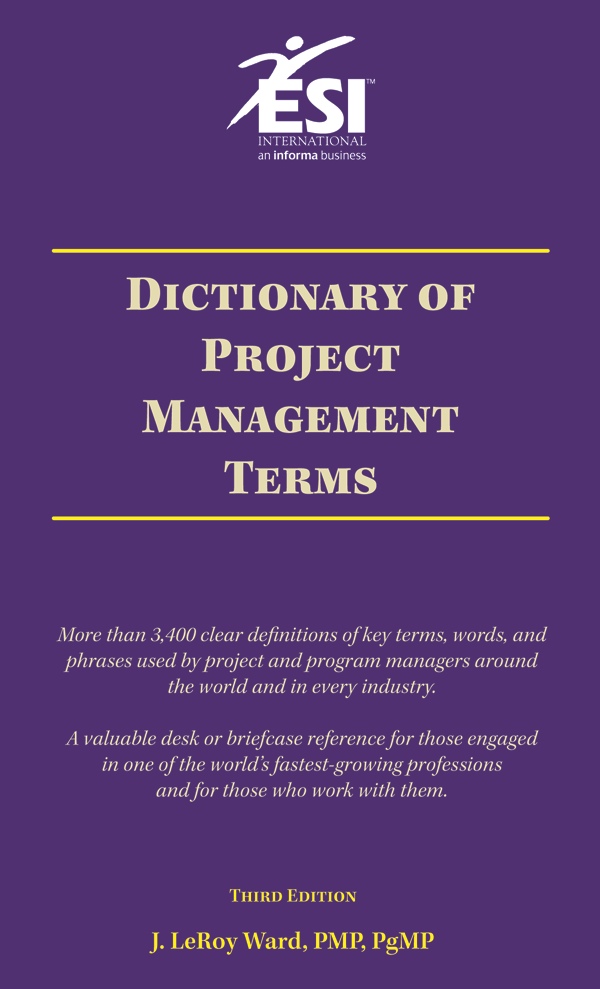 We recently spoke with J. LeRoy Ward, PMP, PgMP, Executive Vice President at ESI International and author of Dictionary of Project Management Terms. He was kind enough to offer his ideas about the importance of a common business language. In Mr. Ward’s view, it is easier to walk the talk when you are all in agreement of what the talk means. We recently spoke with J. LeRoy Ward, PMP, PgMP, Executive Vice President at ESI International and author of Dictionary of Project Management Terms. He was kind enough to offer his ideas about the importance of a common business language. In Mr. Ward’s view, it is easier to walk the talk when you are all in agreement of what the talk means.Q. What is the most effective approach one can take to learning the language in any given field – without looking like an idiot? Is it through books, peers, trade pubs or some other mechanism? The fastest way is generally through trade publications, peers and Google. Don’t be afraid to ask people what they mean when they use terms you don’t understand. Start writing some terms down and refer to your list from time to time. However, you must buy a good dictionary in your field. While no one in their right mind would sit and read a dictionary like a regular book (it would be as boring as listening to your hair grow), it is important to add it to your quick reference library. The other quick way I learned new terms is to create my own Google Library. Every time I encounter a word I don’t know, I Google it, print the page and stuff it in a folder. It’s the quickest, cheapest education around. There are thousands of online dictionaries Google finds for you, but you can always start with Wikipedia. No matter what word I’m looking up, it seems Wikipedia always has it. Q. As a Project Manager, are there particular areas you should focus on learning – like financial terms, customer related terms, etc.? Every project manager needs to know the „hard core“ PM terms such as precedence diagramming, monte carlo techniques, float, etc. Beyond these, however, it really depends. If you’re in the financial services industry (what’s left of it anyway!) and you’re working for an investment bank or hedge fund, you’d better know some of the key terms in that field. If you’re working in the pharmaceuticals industry, you’d better know the difference between a clinical trial and a toxicology screening (you would rather participate in the former than the latter, believe me!). If you happen to find yourself implementing SAP throughout the accounting organization, you had better bone up on such terms as accounts receivable, bad debt, and general ledger. The key here is to be conversant with the main, most often used terms. No one expects you to be an expert, but they do expect you to understand the fundamentals of their business. Q. Can you describe a particular situation you were involved in where not knowing the “language” harmed a Project Manager? I consulted with a major computer manufacturer for years. Everyone I came into contact with complained that they were losing „margin“ on hardware sales and that’s why they were going into the services business. When I asked how they defined and calculated margin to a person they looked at me as if I had 2 heads, until about 18 months later a project manager shouted out „Rev minus cost divided by revenue“ to which I responded „why isn’t it revenue minus cost divided by cost“? He said because we pay our sales staff their commission based on margin, and given that revenue should be higher than cost (that’s what keeps them in business), and given that revenue is the denominator in the equation, that means they get less commission. Now, think of this, every project manager in that company was responsible for ensuring they were delivering the most margin on each project, yet no one knew how to calculate it. Therefore, how effective were they in that critical aspect of their job? Not very. All they were doing was „parroting“ some exec they heard constantly lamenting the fact their margins were eroding. And, by the way, no one ever told me if they were talking about gross or operating margins either. Q. Both industry speak and cultural differences in speech and body language are important. In your opinion, which is more important and why? I would say the latter because regardless of your background, nationality, ethnicity, race, or even if you’re right or left-handed, each industry has its own jargon. IT people speak their IT cant the same in France as they do in the U.S. yet, the cultural differences and body language are vastly different. One day while in Switzerland for a meeting one of the Directors for our client said they would need to stop the meeting to address a serious business matter. Of course, we said no problem. When they were done she came over to me, and her perfect French-accented English she said „I am terribly sorry for the interruption.“ I responded by saying „Sure, what are you going to do?“ She retorted in a somewhat defensive tone „why, I’m not going to do anything, I just told you I was sorry“ So, you see, my innocuous „Hey, what are you going to do?“ idiom was taken as an affront. Even though someone for whom English is not their first language and appears to speak it perfectly does not mean they understand the nuances of the idioms that we tend to speak among ourselves in the U.S., and the same holds true for every language. Don’t assume colloquialisms will translate well. Most often, they do not. Q. In which industries is language MOST important? In which industries might it be easier to get by without it? I believe the more technical and or advanced the industry the greater the degree it has formed its own language, terms and definitions. My mother was a registered nurse and a head supervisor on various medical wards for more than 45 yeas. In high school I would have to go pick her up from the hospital. As is the protocol in that field, when there is a shift change, the people leaving brief the professionals coming onto the floor the status of each patient. Typically, the head nurse, such as my mother, would present the briefing. I would sit there and listen to her provide detailed medical status on each patient to her colleagues. It all sounded Greek to me, but to the others it all made perfect sense. There might be industries for which it is easier to get by without a common language, but the truth is the more proficient you are with language, the higher your chances of success. |
Posted on: November 13, 2008 09:17 AM
| Permalink |
Comments (8)


