


Get Your Team Organized - With Little Overhead


Situation: You Need to Have All of Your Project Documentation Organized and No One Has Time To Do It. Foldera is an interesting SAAS (software as a service) product that might change the way you interact with software. In the traditional world we live in, every thing is "me"-centric, meaning I manage everything on my computer. My computer is where: Foldera is an interesting SAAS (software as a service) product that might change the way you interact with software. In the traditional world we live in, every thing is "me"-centric, meaning I manage everything on my computer. My computer is where:- all of my documents are created - all of my documents are stored - all emai I generate is created and stored. ...then I categorize and organize everything (or hope google desktop indexed it) Foldera allows you to create and store things within the context of a project folder. When you do that, it's automatically stored in a way that relates it (and later versions of "it") to the project itself. This is an interesting approach that's worth a look. There's a cute video on the web site that explains some of the benefits of the software. |
Posted on: July 01, 2007 01:25 AM
| Permalink |
Comments (1)
Project, Product Innovation & PPM
| Situation: You Need to Better Manage the Processes Around Innovation at Your Organization. When the people heading up your PMO decide which projects get funding - Does innovation matter? I think that being familiar with a PPM approach or two can help you generate some really interesting conversation and be more effective when promoting our own project. Last week I gave a talk at a meeting of the Enterpise Portfolio Management Council (EPMC) and most of the presentations given that day made some mention of the "innovation challenge" most companies face. How do you take appropriate risks, allocate funds, and manage resources in the face of such uncertainty? It's a problem that every company faces, but few even have a good approach to. One fairly well defined approach to managing potential projects is the "Stage-Gate" process. The idea is that at each step in the process you make a decision about whethere or not you should kep moving forward. At a high-level it looks like this -
 PMI Standard for Portfolio Management, June 3, 2007 PMI Standard for Portfolio Management, June 3, 2007
The Standard gives a good an concise guidance on how to handle Portfolio management. It's very practical to apply. |


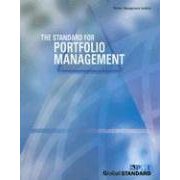 Here's the only review on the Amazon web site...
Posted on: June 26, 2007 02:22 PM
| Permalink |
Comments (5)
Simple, Small Biz PPM...
Situation: You Need to Manage a Portfolio of Projects Within a Small Business. OPM Creator is a very simple, clean web-based package aimed at smaller businesses who not only need to manage multiple projects, but could use a little help with knowledge management as well. I really like packages that give you an easy, structured way to capture emails related to projects. Many high-end packages don't really help in that regard and often even hamper the capture of the real "lessons learned" that resides in everyone's email. OPM Creator is a very simple, clean web-based package aimed at smaller businesses who not only need to manage multiple projects, but could use a little help with knowledge management as well. I really like packages that give you an easy, structured way to capture emails related to projects. Many high-end packages don't really help in that regard and often even hamper the capture of the real "lessons learned" that resides in everyone's email. Here's a partial list of features from the site...
|


Posted on: June 23, 2007 10:36 PM
| Permalink |
Comments (0)
Another Way to Find WIFI Hotspots
Situation: You're in an Unfamiliar Place and Need a WIFI Connection. WEFI is an interesting new service that delivers maps of available WIFI hotspots to those of us who currenlty rely on Starbucks connections or walking around strange places carrying a laptop with one hand and refreshing our network list with the other. WEFI is an interesting new service that delivers maps of available WIFI hotspots to those of us who currenlty rely on Starbucks connections or walking around strange places carrying a laptop with one hand and refreshing our network list with the other.Here's what they do (in their words) "WeFi is a community linked together by wireless access and content. WeFi helps you find the best available wireless connection with an emphasis on free WiFi. You can find Wifi access spots on the map, add your own spots, and see where your friends are, close to you or worldwide. " I just like it as a time-saving reference. |
Posted on: June 19, 2007 12:08 PM
| Permalink |
Comments (0)
Write Really Effective Email Messages...
Situation: You Need To Hone Your Email Skills a Bit. I just finished SEND, the Essential Guide to Email for the Office and Home. It's a great little book that reveiws email fundamentals and delivers a few interesting facts that not everyone knows. I just finished SEND, the Essential Guide to Email for the Office and Home. It's a great little book that reveiws email fundamentals and delivers a few interesting facts that not everyone knows.In terms of fundamentals, the authors turn the word SEND into an acronym describing what you should consider before hitting that "send" button. S stands for Simple E stands for Effective N stands for Necessary D stands for Done. This makes for a nice, easy to remember checklist to follow anytime you send a message out. Here's a couple other interesting tips that not everyone is aware of. - If you are switching email addresses, change your "return address" in your email client to your new address for while before you actually cut over. That way replies all go to your new address and the transition will happen more smoothly. - Replies from handheld devices, like blackberrys usually carry a small "e" in the "Re:", versus the capital "E" in "RE:" that you see in replies made from Outlook or other desktop clients. This is just one more clue that the reply is from a mobile device and perhaps you should be a little more tolerant of its contents. There's quite a bit more advice in the book - which makes it a great gift for the email-challenged co-worker in your life. Since that covers most of the people on the planet, I think I smell a best-seller! |
Posted on: June 16, 2007 12:34 AM
| Permalink |
Comments (0)


