
Mind Mapping for Project Management – an overview (updated!)
Categories:
pmp,
study material,
learning,
how to,
skills,
competence,
area of expertise.training,
modern learning,
mind mapping,
mind map,
mind maps,
information gathering,
mind mapping tool,
software,
communication,
mind mapping for project management,
MP4PM,
idea file,
MindMnager,
XMind,
Freemind,
FREE,
Education
Categories: pmp, study material, learning, how to, skills, competence, area of expertise.training, modern learning, mind mapping, mind map, mind maps, information gathering, mind mapping tool, software, communication, mind mapping for project management, MP4PM, idea file, MindMnager, XMind, Freemind, FREE, Education


| Mind Mapping® is a great tool to manage information! Let us have a look at how it could be a help with project management efforts by utilizing Mind Mapping® methods and software in specific. Mind Mapping® is a way of visually representing ideas and information. Just as geographical maps help people see where they’re going and help them anticipate and avoid obstacles, Mind Maps® lets people layout ideas connect, and manage information in a way that helps identify dependencies, connections, risks, and much more. The advantages and benefits of Mind MappingMind Mapping® is a powerful technique and the advantages of Mind Maps® are many:
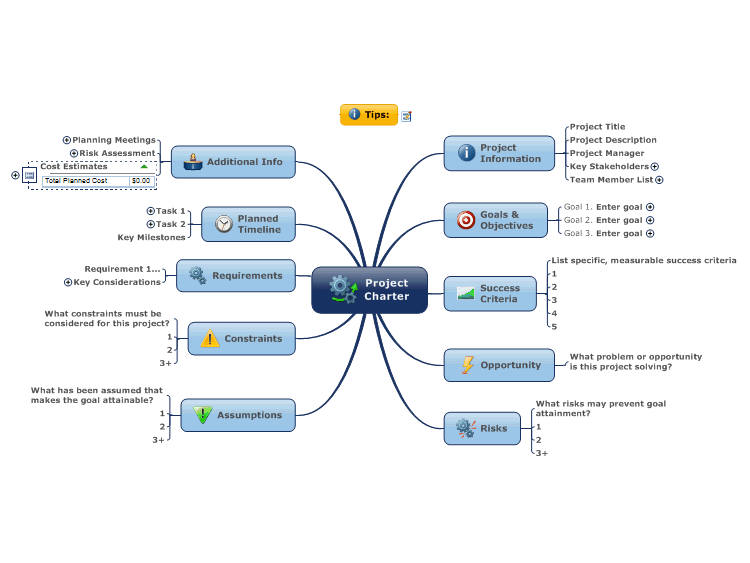
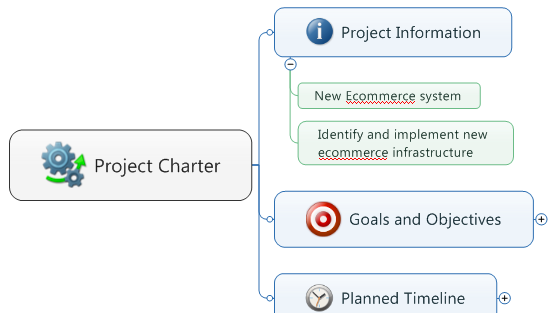
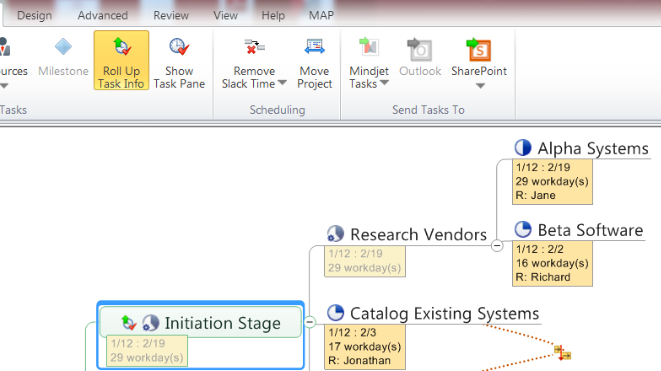
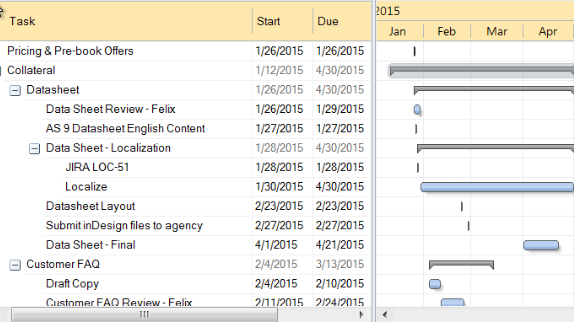
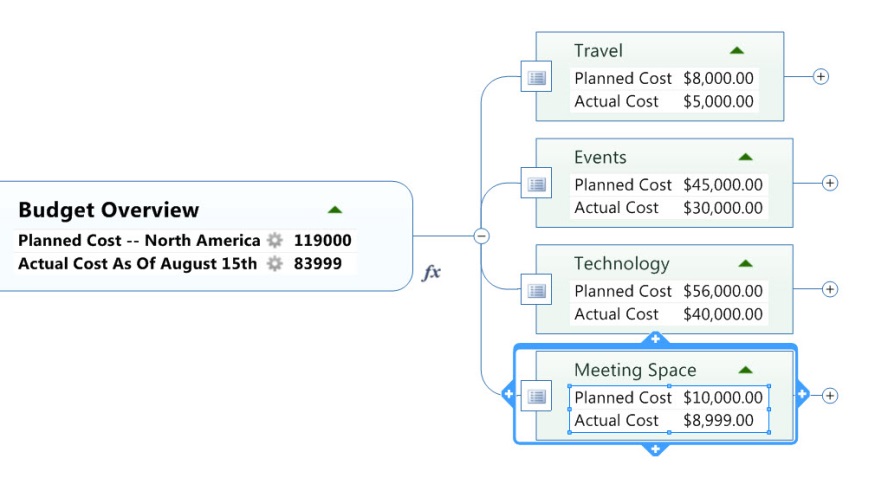
By looking at those use cases and benefits you might think “well, there are a lot of them appearing in project management also, right?” and the answer is: YES! Since project management is all about gathering, managing and communicating information Mind Mapping® can be utilized for these tasks in a great way. But then you may think “well, but all this paperwork … and if it is written down, how to reorganize the information if necessary?" (and it will be, right?). So this is when Mind Mapping software tools come in place; software tools that are basing on the Mind Mapping® principles. Using such Mind Mapping® tools has the following six key benefits: Why you should use a professional Mind Mapping Software:PROFESSIONAL MIND MAPPING SOFTWARE ... - LET PEOPLE WORK THE WAY THEY THINKWith professional Mind Mapping® software, you can brainstorm and capture ideas in freeform, and then add structure and depth. Drag-and-drop editing and markers let you apply for an order, connect ideas, and group concepts into themes. Built-in templates often make it easy to bring clarity to important projects, and completed maps give you a more effective way to communicate. - REDUCES INFORMATION OVERLOADProfessional Mind Mapping® software lets you organize ideas and information in a single view so you can see connections and draw conclusions quickly. It’s easy to assemble content-rich information maps with attachments and links that let you process information without having to jump between different apps and browsers. You maybe even can even import tasks, email, and contacts from Microsoft Outlook to Mind Maps® to organize your work life better. - HELPS STRUCTURE BUSINESS, STRATEGIC & PROJECT PLANSProfessional Mind Mapping® software provides deep capabilities for organizing information to drive critical business processes and decision-making. More advanced features can include Guided Brainstorming tools, 2x2 analysis views, budgeting and forecasting tools, and numerous project management features where we look into in detail later on. - IMPROVES COMMUNICATIONProfessional Mind Mapping® software visual format lets you show the big picture and then drill down to display details as needed, all in a single view. Improve meetings by quickly capturing discussion notes and follow-up action items in context. Use priority markers, symbols, and embedded images to highlight the most essential points. - WORKS WITH YOUR EXISTING TOOLSProfessional Mind Mapping® software is integrated with Microsoft and Apple productivity apps, including MS Word, MS PowerPoint, MS Excel, MS Outlook, MS Project, and Apple Keynote and Pages. Individuals can map out their work in the professional Mind Mapping® software, and then publish final reports and proposals in the most appropriate format. - CAN BE USED ACROSS THE ORGANIZATIONProfessional Mind Mapping® software may have an enterprise version that extends the value offering integration with Microsoft SharePoint to enable collective information management and collaboration. With the Enterprise Version, people across the organization can use professional Mind Mapping® software intuitive visual framework to capture and organize information, then share editable maps so teams can solve problems, prioritize strategies, plan projects, and process information together. After looking at the Mind Mapping® benefits in general and the advantages of using Mind Mapping® software, we will know focus on the specific benefits of using the combination of them applied to project management: Successful project management depends on the effective management of expectations and commitments. Mind Mapping® software helps you keep teams in alignment with the decisions and tradeoffs that determine if a project will meet goals and deadlines. Create a blueprint for your project by defining goals, prioritizing issues, capturing stakeholder input, and validating requirements—all in one application.
Mind Mapping for Projectmanagement
|


Introducing "MP4PM-MindmaPping for ProjectManagement" - Part I
Categories:
learning,
how to,
technical project management,
strategic and business management,
skills,
modern learning,
checklist,
practice,
exercise,
mind mapping,
mind map,
mind maps,
information gathering,
mind mapping tool,
software,
communication,
mind mapping for project management,
MP4PM,
idea file,
project objectives,
Education
Categories: learning, how to, technical project management, strategic and business management, skills, modern learning, checklist, practice, exercise, mind mapping, mind map, mind maps, information gathering, mind mapping tool, software, communication, mind mapping for project management, MP4PM, idea file, project objectives, Education
| In our last Mind Mapping article we have given an overview why we think that Mind Mapping is that beneficial for project management. You can find some other articles, blogs and even webinars here at projectmanagement.com where mind mapping is already promoted.
Mind mapping is being used across organizations to:
In addition i do believe that tool-supported Mind Mapping could be used to support more or less all the PMBoK Guide Processes and ITTO’s in a great way. And this is exactly what we want to realize; therefore we are actually working on an integrated approach which we called "MP4PM - Mind maPping for Project Management". Starting with this blog we will introduce the most recent features of “MP4PM” over the next few days/weeks while resulting in a comprehensive introduction and overview as a webinar, kicking off a huge webinar series about the usage and how to apply “MP4PM” in your daily project work. Here are the first two features we want to realize with “MP4PM”:
In our next blog we will not only provide the next two “MP4PM” features; we will also show you the very first deliverable/result of “MP4PM” as a sneak preview, so you can see what to expect in near future. And the bonus is: it is ready to use out of the box for anybody who wants to try. So stay tuned … ;) ======================================= References/first published here:
|
 And I am totally convinced that Mind Mapping could be a big help in making the project ma


