5 Productivity Tips [Infographic]
From the The Money Files Blog
by Elizabeth Harrin

A blog that looks at all aspects of project and program finances from budgets, estimating and accounting to getting a pay rise and managing contracts.
Written by Elizabeth Harrin from RebelsGuideToPM.com.
Recent Posts
Who really owns the project budget? Clarifying financial accountability
How to learn AI the sensible way
Making sense of project cost reports
How real PM mentoring actually works
The Accidental Product Manager: What project managers need to know
Categories
accounting,
agile,
ai,
appraisals,
Artificial Intelligence,
audit,
Backlog,
Benchmarking,
benefits,
Benefits Management,
Benefits Realization,
Bias,
books,
budget,
Business Case,
business case,
business case,
Career Development,
Career Development,
carnival,
case study,
Change Management,
checklist,
collaboration tools,
communication,
Communications Management,
competition,
complex projects,
Conferences,
config management,
consultancy,
contingency,
contracts,
corporate finance,
corporate finance,
cost,
Cost Management,
cost management,
credit crunch,
CRM,
data,
data security,
debate,
Decision Making,
delegating,
digite,
earned value,
Education,
Energy and Utilities,
Estimating,
events,
FAQ,
financial management,
financial management,
forecasting,
future,
GDPR,
general,
Goals,
Governance,
green,
Information Technology,
Innovation,
insurance,
interviews,
it,
Knowledge Management,
Leadership,
Lessons Learned,
measuring performance,
Mentoring,
merger,
methods,
metrics,
multiple projects,
negotiating,
Networking,
news,
Olympics,
organization,
Organizational Culture,
outsourcing,
personal finance,
Planning,
pmi,
PMO,
PMO,
Portfolio Management,
portfolio management,
presentations,
privacy policy,
process,
procurement,
product management,
productivity,
Program Management,
project closure,
project data,
project delivery,
Project Success,
project testing,
prototyping,
qualifications,
Quality,
quality,
Quarterly Review,
records,
recruitment,
reports,
requirements,
research,
resilience,
Resource Management,
resources,
risk,
Risk Management,
ROI,
salaries,
Schedule Management,
Scheduling,
scope,
Scope Management,
security,
small projects,
Social Impact,
social impact,
social media,
software,
software,
software,
Stakeholder Management,
stakeholders,
Strategy,
success factors,
supplier management,
team,
Teams,
testing,
testing,
timesheets,
tips,
training,
transparency,
trends,
value management,
vendors,
video,
virtual teams,
workflow
Date
We all have the same number of hours in the day, so how come some people seem to get more done?
Well, there is no magic secret. They probably are just very good at focusing and prioritising their work. They get more done – or at least, they appear to – by doing the right things.
That said, there are a few tips and tricks I’ve discovered over the years that help me speed up my daily work. First: get a super-fast internet connection! Once you’ve got that, you’ll get less frustrated waiting for pages to load. It’s amazing how much we need to use online services and tools in the course of our day jobs, and for everything else that’s a ‘home’ job too.
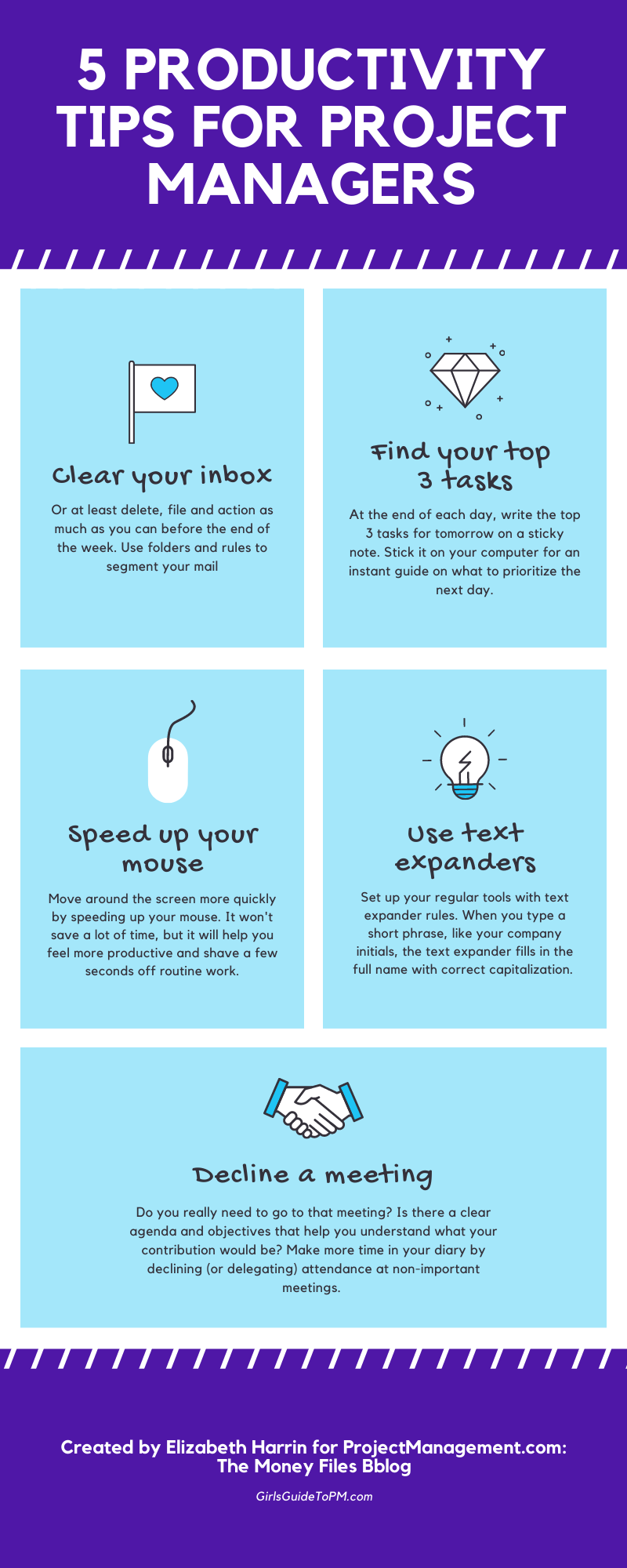
After that, try the tips in the infographic below and see if you can use them to improve your focus and shave a few seconds off your regular routine tasks.
Posted on: August 25, 2020 08:00 AM |
Permalink
Comments (11)
Please login or join to subscribe to this item

Rami Kaibni
 Community Champion
Senior Projects Manager | Field & Marten Associates
New Westminster, British Columbia, Canada

Kwiyuh Michael Wepngong
Community Champion
Financial Management Specialist | US Peace Corps
Yaounde, Centre, Cameroon
wow... The visual is so informative
Very interesting., thanks for sharing.

Tiago Romao
Project Manager - PfMP | PgMP | PMP | ACP | PBA | CBAP | CSM | MSc.| Altice Portugal | Meo
Sobreda, Setubal/Almada, Portugal
Good tips!
Although i don't comprehend "speed up your mouse" , neither "use text expanders".
Suppose it's related to "Domain your software", not superficially but in detail, now how to customize it, so that it can work for you, not against.

Khai Ng.
IT PMO | IT Project Manager| TTGROUP
Hanoi, Viet Nam
Thank you for sharing! Good tips!
@Tiago. You can speed up your mouse pointer in your computer settings, but you are right - these are general suggestions rather than a 'how to' guide. Different machines will be configured differently, so I can only tell you what I do on Windows 10, which is use the search magnifying glass to find mouse controls and change it to move faster. Text expanders happen within an app, so in Word I have various "autocorrect" options set up to type phrases out when I enter a short version. On my iPad I have my email address set up as a short version and then I can select and auto-input the correct version. Hope that helps. Google is your friend when it comes to finding out how to do these on your own tools!
@Eduin, @Kwiyuh, @Rami, thank you!

Jamal Al Abri
Sr. Project Engineer| Petrolum Development Oman
Muscat, Oman, Oman
Interesting... Thanks for sharing.

Marcus Udokang
Project Manager| Aivaz Consulting
Calgary, Alberta, Canada
Love your infographics which provide an excellent way to visually explain concepts in a simple way. Thanks for the article, Elizabeth.

Ricardo Parra
Functional Manager (Retired)| Federal Aviation Administration (Retired)
Potomac, Md, United States
Great reminders to be more productive!
Please Login/Register to leave a comment.
|
"Too bad all the people who know how to run the country are busy driving taxis and cutting hair."
- George Burns
|




