Decision debt: the hidden cost of “we’ll decide later”


I’ve written before about technical debt, but there isn’t just technical debt on a project. Decision debt is also a thing. This is about the decisions that quietly pile up. What decision debt looks likeWhat decisions are outstanding for you at this moment? Maybe unresolved scope questions. Maybe temporary workarounds got put in place and no one has decided what to do about them, and nowthey feel permanent. Maybe you’re going round the same discussion time after time without actually landing on anything. In practice, any of those, and more can slow down your project team. Because you’ll carry on the work regardless, but just with more uncertainty and less direction, which doesn’t feel good. 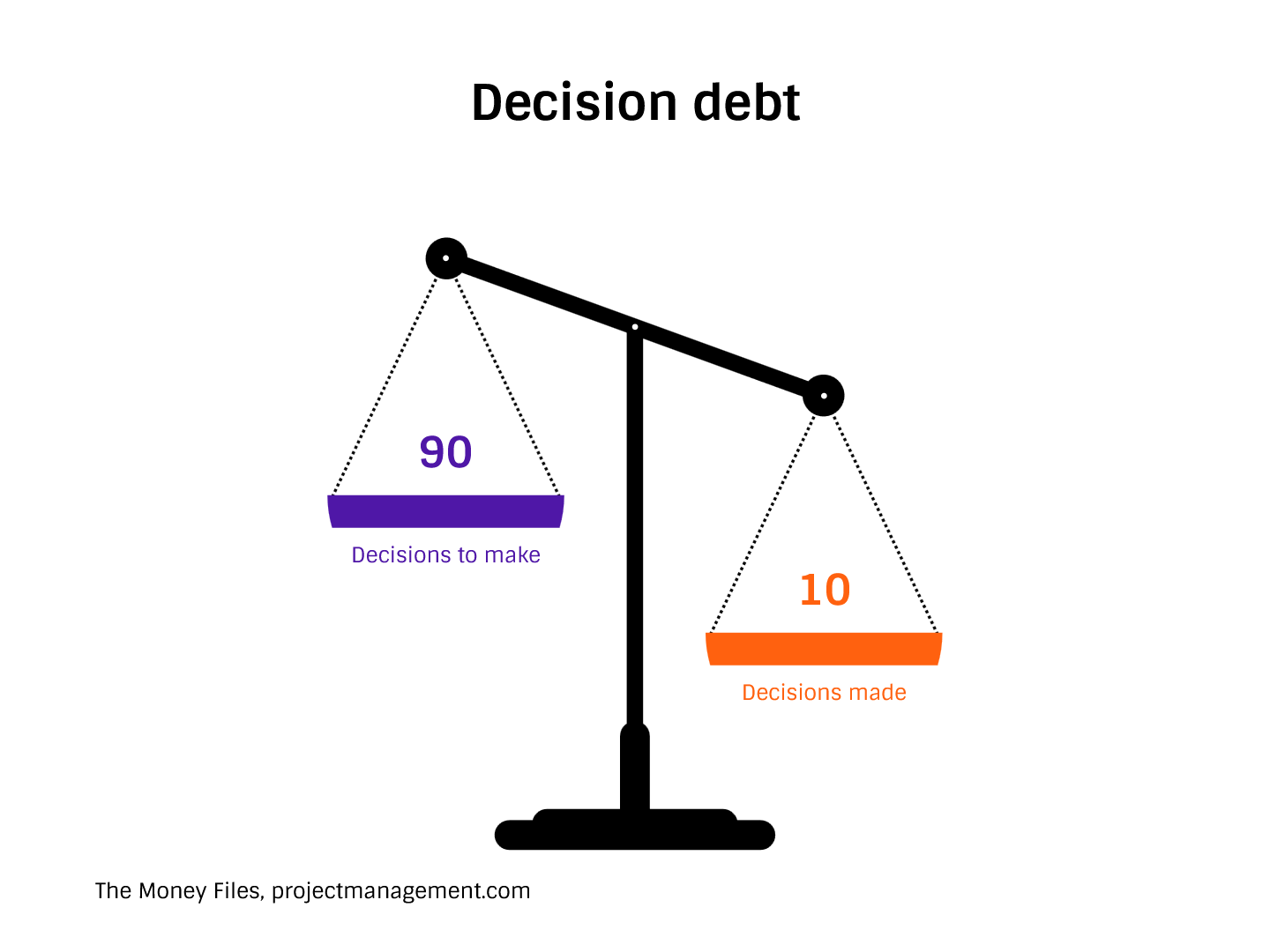 Why it happensDecision debt can happen for lots of reasons. Maybe the team (or someone higher up) is avoiding a difficult conversation. Maybe your sponsor is overloaded and they just haven’t got the bandwidth to review the decision request yet. And when they do, they’ll forget what it was that prompted the ask in the first place, and need more input from you before they’re comfortable making a pronouncement. Perhaps the governance forums are busy with year end, or quarterly planning, and your topics haven’t made it to the agenda yet. Sometimes it’s around the fact that people believe delay doesn’t present a risk so it doesn’t matter if it takes longer to make the ‘right’ decision. Most of the time, in my experience, it’s that people don’t know who should make the decision, or the person being asked doesn’t really have the authority to make it. Or they want to involve others in the process so it’s not all on them. The lack of clarity on who can decide what really slows everything down. We call it slopey shoulders: decisions just slide off them because they won’t take any accountability. The cost of deferred decisionsSlow decision making takes its toll on projects. It makes delivery slower and less efficient. It exposes the project to financial loss because decisions are slower. And it affects team morale and confidence because everyone feels like the project is hanging around. You also risk escalations that feel sudden but aren’t, because eventually that decision has to be made and it’s likely you’re going to need a decision quickly at some point.What you can do about itOK, sometimes there is nothing you can do about it apart from put your project on Red status and keep flagging that a decision is outstanding. Making non-decisions visible is a good starting point. Another thing that I have found that focuses the mind is calling out the cost of the delay. Don’t just give people a choice, explain what each decision means in cash terms. “If we don’t make this decision by end of November, it will cost us £50k per month in additional resource and storage fees as we’ll have no option but to renew the contract.” If you need a decision, make sure you’re asking in the best possible way, with clarity and supportive information. Give them what they need to make the call, so you are making it easy for them to get this To Do off their desk. Decision debt is a leadership issue, not an admin one, because most of the time you can undo decisions if they are really awful. It might cost more and take more time, but on the kinds of projects I work on, mostly we can back out bad decisions if we really have to. However, let’s hope it never comes to that for you (and me)! Addressing the lack of decision early protects delivery and helps with your working relationships. What do you do to secure decisions? I’d love to hear your stories of how you get senior people to make a call. Share in the comments! |
Posted on: October 22, 2026 12:00 AM
| Permalink |
Comments (1)
Budget confidence vs budget optimism
Categories:
budget
Categories: budget
| Last time I wrote about the change of project management behaviour and skills needed as you shift from managing the early stages of a project and the latter stages, and today I want to take that a bit further. Project budgets also fall into the category of needing to be managed differently. They can be a little – can I say it? – optimistic at the beginning of a project. Your forecast, however well put together, might end up including an element of hope or luck as well as evidence. I think this is particularly true of knowledge work or unique technologies, and perhaps less true of projects where there is an element of repeatability or reliability, so let’s go with those ‘not-done-it-before’ projects for this article. Early in the year, the forecasts might have held water, but by the time we get to autumn in the northern hemisphere, we’re into Q4 and reality is here. This is the point where confidence needs to replace optimism. The difference between optimism and confidenceJust so we’re all on the same page with the terms, optimism assumes things will work out. Confidence is based on evidence, learning, and updated assumptions. Stakeholders can usually sense the difference because those senior leaders who are interested in the numbers will easily be able to judge if something is off. Sometimes, it feels like optimistic estimates hang around longer than they should, perhaps because people are reluctant to rock the boat or through fear of losing stakeholder trust (although what’s faster than losing it than leaving it too late in the year to do anything about needing more cash to deliver?) It could also happen as a result of relying on early plans that no longer reflect reality, so not through any nefarious means or insecurity, just not getting round to updating the schedules. What to look out forHere are some signs that optimism is driving your budget view. Watch for these and then you can start to address them to bring more confidence into your Q4 estimates and forecasts!Forecasts that stay flat despite changesHave you changed something on the project? You updated the forecasts, right? If you didn’t, you might be carrying invisible extra work.Risks described but not costedA long risk log but one that is completely detached from your budget is a problem. Can you work out which risks require money or time to manage and add that into the forecast?Heavy dependence on contingency without clear triggersHow healthy is your contingency fund, if you have one? Make sure there are clear guardrails on how to use it so you’re not whittling it away before the end of the year with no audit trail.Explanations that rely on future fixes rather than current evidenceYou might have seen this on projects in the past – project managers saying that some other project will deliver something that they need, or that we’ll fix it when we get there. Moving to confidence-based estimatingBy this point in the year you probably have a few changes, and if you’ve incorporated those you can use them as examples of how knowledge is improving the confidence levels of your forecasts. You can start talking about what has changed since the forecast and why, giving examples, and if necessary, asking for input on decision-making before you choose a route. This is a harder one because it puts the team under scrutiny, but you can also separate uncertainty from poor performance – call out where things changed because you didn’t know about them or are working in an unpredictable environment, in comparison to where things changed because someone did a poor quality job. Overall, involving sponsors in trade-off discussions early helps them feel like they are both being consulted and that they are shaping the decisions. And that can help them feel like things are under control – and hence there is more confidence in the estimates. Being realistic builds trust. Budget confidence comes from transparency and predictability, and there is still time this year to get your forecasts into good shape for year end, to avoid any December surprises. |
Posted on: October 15, 2026 12:00 AM
| Permalink |
Comments (0)
When projects get serious: what changes after the “easy” phase
Categories:
Governance
Categories: Governance
| In my experience, many projects feel deceptively straightforward at the start! It’s all about the planning, the goal, the vision. Early progress is visible because you’ve got a business case approved and everyone is enthusiastic. Problems feel manageable, probably because you’ve got a big budget and lots of time, and lots of senior-level focus to help get things done. It’s easy to reverse decisions as you haven’t actually delivered anything yet, so you’re making quick progress. The risk exposure is low, if you need to make trade-offs they can feel a bit theoretical at this point as you haven’t actually ‘lost’ anything (yet). But then there is a transition point where delivery becomes more complex, political, and consequential… and that’s when things start to change.  What changes as projects progressWhen projects progress, decisions become harder to reverse. The cost for rework goes up because more work is complete. There are dependencies That can't change, and the tolerance for making changes drops. When you're making trade-offs they start reflect the overall cost the schedule and stakeholder confidence. In my experience, the pressure to actually get almost delivery increases even if your plan hasn't changed. People are more invested in the outcome because some work has already been completed. Leadership expectations shift from wanting to know that everything is going OK to reassurance that the project will hit the deadlines and spend within budget. You start being asked questions around confidence levels and scrutiny, instead of, “How can I help?” and, “Are we ready to go?” There's also a difference in expectation from the behaviour of you as the project manager. We are expected to use our professional judgement. At the beginning of a project it’s often about following the process to get things approved and to move through those early stages of project setup which can feel quite regimented in the approach as this is probably dictated by your PMO. Once we're in full delivery, there's a lot more scope for professional judgement and active decision making on everyday basis. How to manage this later stageSo how do we cope with this change in expectations? I think a lot of project management practice stays the same and what you're doing is probably fine. But I think that it's worth moving from being more of a coordinator to more of a facilitator of decisions. In my experience, it's also useful to be really clear about uncertainty and the consequences of those choices especially around risks and risk management. Communication is another area that you can lean into. We have to be even clearer about what we're doing, what progress we're making, and adjust the tone of the communication as you get closer to the end to improve the levels of confidence (assuming that you do want people to be confident about where you're going and that broadly things are on track). Finally it's worth thinking about escalations. You need to know where to escalate, what to escalate and how much drama you're going to create by doing an escalation even if it's the right thing to do. So there's an extra level of bravery and confidence in your own ability that comes with managing a later stage project. I suppose what I'm trying to say here is that setting up a project can feel like the easy part. Once you've aligned the stakeholders, got approval to proceed and put together a plan – that's when you are really going to have to lean into strong project management skills. So many project managers I've spoken to tell me that professional credibility is built or lost on their very last project and often their past experiences and many years of successful delivery are overshadowed by the fact that something went wrong on some project. And let's face it, there are going to be projects where things go wrong and it won't necessarily be the fault of the project manager. So I think we need to be aware that there is this change in project management approach needed between kicking off a project and seeing it through to the end. What do you think? Let me know in the comments below! |
Posted on: October 08, 2026 12:00 AM
| Permalink |
Comments (2)
How to run a retrospective that isn’t awful
Categories:
project delivery
Categories: project delivery
| Tired of retrospectives that feel like box-ticking exercises? Let’s fix that. Sometimes it’s nice to fall back into tried-and tested tools, with comfortable conversations, but sometimes you need a bit more. Refresh the formatIf you have go to formats that you use, try to mix it up a bit. We use Start / Stop / Continue quite a lot, but if you don’t use that, try it out.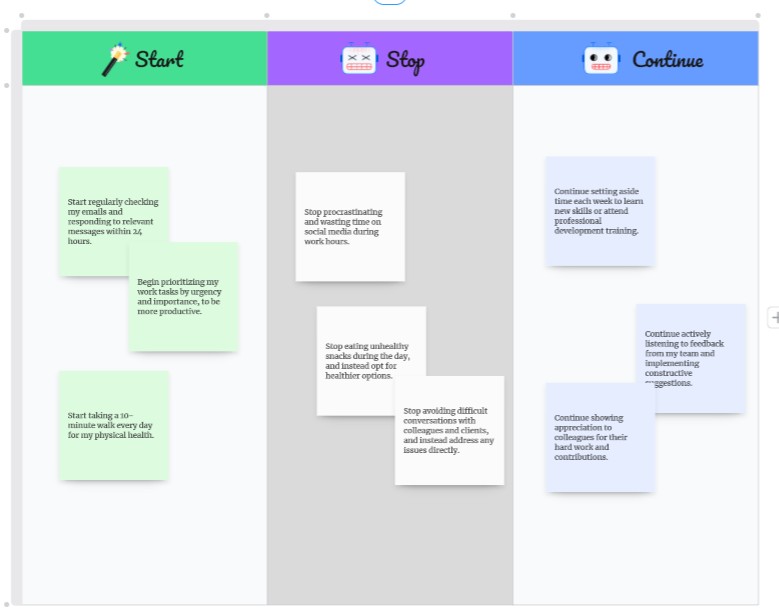 The Sailboat is another good one: what helped us, what held us back, what propelled us forward and what hidden risks did we find or might we find in the future as we sail along. 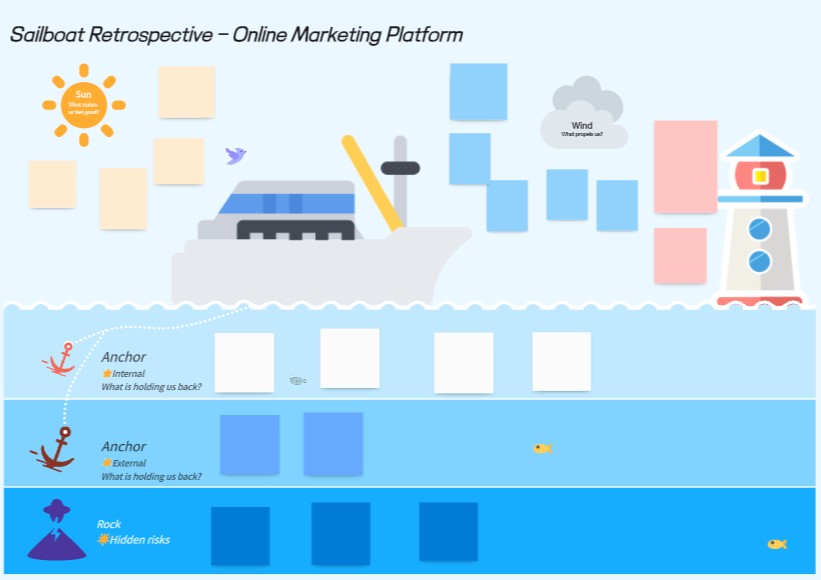 Team awards could be another route in to a different kind of discussion. For example, most improved, unsung hero, or ask people to write award categories for each other (as long as you can guarantee they will be written with kindness. If you normally do them in-person, try remote. If you normally go remote, try meeting up. If you find people talk a lot, go for speed rounds or sticky note voting to bring a different pace. Avoid blame and awkwardnessI’m sure your retros don’t have any blame or awkwardness anyway, but just to be on the safe side, use anonymous inputs where you can. We always have the question about whether online forms or silent sticky note gathering really are anonymous when you can trace technical submissions or match handwriting, so if you want to be truly anonymous, you might have to have submissions made before the meeting so no one sees you do it.Ask reflective rather than evaluative questions, so you get responses based on experiences rather than ‘what we did’. Shifting the facilitator round or taking it in turns to lead a section can also help, it’s just a way to get different voices. And your colleagues will chair in a different way to you, so that’s a very simple way to help them build confidence in running meetings and get a fresh take on what is a regular slot on the calendar for the team. Normalise saying, “I don’t know,” or, “We need to explore this more,” so people feel comfortable bringing things to the table – psychological safety plays a huge role here so if you don’t have that sorted in the team, you aren’t going to get a lot of properly useful stuff out of your conversations anyway. Make it human and engagingWhat about adding a warm-up, like a team question, quiz, meme of the sprint or something like that? What about ending with a “one word” check-out (like, how do you feel now?) or asking people to bring their own playlist?What about linking it to food, or doing the conversations while out on a walk, if you’re in a small team? Remove the chairs or put the chairs back in. Focus on actionAlways close with concrete takeaways – that’s not a new technique, it’s something you should be doing anyway. Assign owners and dates for changes, where you have tangible actions that you are going to take as a team.And also, don’t forget to review what got actioned from the last retro so you can show everyone that their feedback matters and you are taking steps to do the right thing. A great retro energises teams and improves delivery, so if you come out of yours feeling a bit flat it’s time to mix up the process! What do you do to keep your retros feeling fresh and useful? Let us know your top facilitation tips in the comments so we can all learn how to keep the momentum going! |
Posted on: September 22, 2026 12:00 AM
| Permalink |
Comments (4)
A practical guide to stakeholder influence mapping
Categories:
Stakeholder Management
Categories: Stakeholder Management
| Stakeholder influence mapping is always a touchy subject, because in my experience, no one really likes to call out the people who don’t have influence… However, we have to have an understanding of stakeholders across the project because it’s going to affect how you spend your time on engaging others. These days, especially in cross-functional and matrix teams, influence matters more than titles. Classic frameworksI wrote a book about stakeholder engagement (in fact, I’ve written two, one on the niche aspect of communicating change, and one called Engaging Stakeholders on Projects) and the top, classic framework for analysing influence is the power/interest grid. There are also cube-variants of the grid with extra variables.You can also use the salience model, which looks at power, legitimacy, urgency and I think is a bit better. Alternative optionsEmpathy mapping works well as an alternative, and it has the added bonus of being easy to understand. You can map out influence networks (e.g. informal leaders) or even commit to political mapping for large organisations, if you feel like that would help understand how informal knowledge is shared and how you can get things done.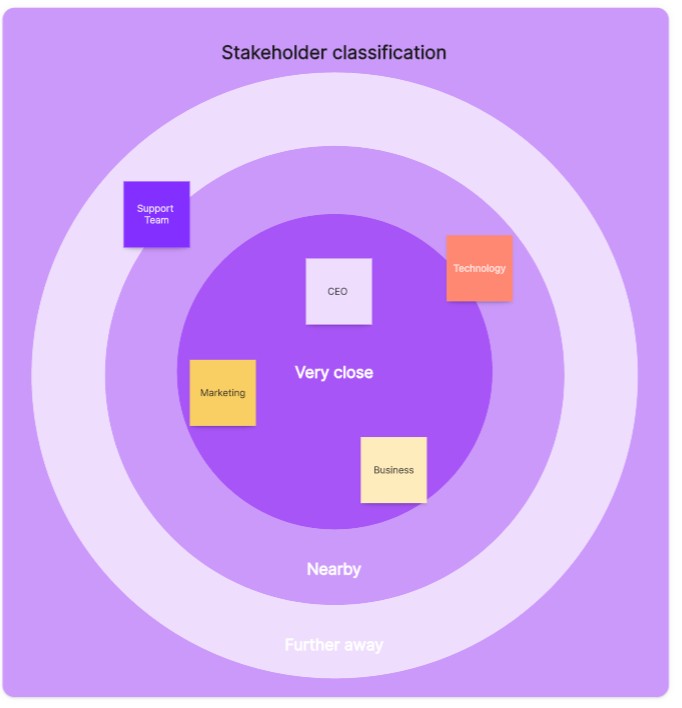 How to use themWhatever model or tool you decide to use for influence mapping, a good place to start is project initiation. That’s when (or even before) you’ll be identifying stakeholders.You can also use the frameworks, or revisit what you already done, during major changes or conflicts because it’s important to have an up-to-date version of the truth. People change roles and their influence changes if their team changes and so on, so it’s worth double-checking that your maps and structures still hold true. Finally, there is value in using tools like these as a comms planning input, when you are working out which groups to engage with and how. Overall, if you’ve run workshops with your core team, consulted widely, refresh your notes regularly and make sure that you document everything in the most professional and least personal way, you can identify blockers and champions for the project. Then that informs how you are going to go about shifting perception and behaviour so that the can support, or at least not actively detract, from the project. When you’ve got strong stakeholder insight, you can get a smoother delivery, and fewer surprises. What tools are your favourites when it comes to analysing stakeholder input? Let me know in the comments! |
Posted on: September 09, 2026 12:00 AM
| Permalink |
Comments (1)