Preparing for the January rush: Strategies to hit the ground running


| The start of a new year can bring intense pressure to get projects up and running quickly – have you felt that? There is often new budget available, new expectations and just the natural sense of new beginnings that comes with a new year… all adding up to a desire from senior leaders to get projects moving quickly. That makes December the perfect time to prepare, so here are some things you can be doing this month to get ahead for January when it comes.
Review the project pipelineAssess the projects slated for Q1 and their current status. What’s ready to go, what needs more discovery or analysis? What projects are continuing from this year that still need to complete? Are there any critical tasks that need attention before January? You can use December to create detailed action plans for January launches, bearing in mind the holiday period and any change freeze that might affect your technical deployments. Resource planning and allocationHow are you going to make sure that team members are ready and equipped to start strong in January? If there is new budget for training, what projects are coming up where the team could do with some training to ensure they have the skills? Make sure people know what they will be working on in the new year, and ideally have this documented somewhere – chances are they will come back after a short break and they might have completely forgotten! Backlog and task prioritisationIf you are anything like me, you’ve probably got a backlog of tasks from the months just gone that haven’t quite been finished. For example, I have project budget trackers that need updating, and I know I’m going to be asked for them by year end because it’s important to have the numbers sorted. Think about what you have outstanding and prioritise what you need to, focusing on the high-impact tasks first to ease yourself into January. Prepping tools and processesTalk to your team about getting things set up for the new year. For us, that’s making sure there are ‘2025’ versions of in-flight projects, setting up the 2025 portfolios and making sure steering meetings are booked for the year – best to get booked into busy executives’ diaries before they are blocked! Communication and alignmentBecause nothing says ‘new year’ more than a redoubled effort at team communication! It might not last longer than February, but let’s start with good intentions, eh? Think about what the objectives are for the coming year. Set expectations to align on goals, especially if you are starting new work or have different priorities across the portfolio. For most of us, project work just continues into the new year, because most projects won’t have a hard stop at year end. However, it’s always an opportunity to remind people of what the goals and objectives are, and how these fit with strategic priorities. Planning ahead in December can help you hit the ground running in January, so you can get back to work after the festive break. I know, the “festive break” is really just a few days, but emotionally and mentally it feels different, don’t you think, because we will be ticking over into 2025? |

What’s your project’s bus factor?
Categories:
resilience,
communication,
records,
risk,
resources,
Risk Management,
Resource Management,
Scheduling,
Teams
Categories: resilience, communication, records, risk, resources, Risk Management, Resource Management, Scheduling, Teams
| There’s a resource risk that should be on your project risk register, regardless of the type of project you are doing. That’s your bus factor. In other words, what risks are you running if a key resource is hit by a bus. Yes, it’s a bit morbid (use “won the lottery and quit without notice” if you want a discussion point with less dying) but it’s a crucial issue for projects. The resource doesn’t literally have to be hit by a bus (and let’s hope that they are not). What we’re talking about it is the impact of them not being on the team for a length of time, often with hardly any notice. For example, going off sick, deciding to take another job and HR putting them on gardening leave, needing time to care for a relative or some other absence. The trouble with project teams is that we don’t normally have a lot of spare resources lying around. People are subject matter experts and you get one of those skilled experts allocated to your team based on need. It’s unlikely that you have a pool of multiskilled people who can step in if someone else is off work for a length of time…sometimes that might be the case, but even if the skills are available, the person who has them might be fully allocated to another project or even – gasp! – doing their day job. Building resilience into the team is important, but in my experience it’s not often as easy as it sounds. Yes, we cross-skill team members where it makes sense. Yes, I cover for other project managers when they are on holiday for a week. But some tasks need The Person With The Skills and you have to wait for them to come back. So, now we understand the risk that the bus factor brings to projects, what can you do about it? First, highlight it in the risk register if you haven’t already. This improves visibility and lets senior managers know it’s a risk you’re carrying. Next, talk to the team. They can’t predict this kind of ‘bus’ absence but you can get caught out by other types of absence. I once worked on a project where the key functional owner told me that she was on holiday for a fortnight during the project call before she went away. She had tasks scheduled for her to be doing while she was off. Her line manager hadn’t let me know, and to be fair to her, I hadn’t asked her either. From then on, we regularly asked project team members when their upcoming holidays were, because you can’t always rely on them or their managers to let you know. Especially if the holiday is booked after the project schedule has been put together. Talking to the team serves another purpose: it can help you identify what you can proactively do to offset the bus risk. For example, workshadowing, setting up a delegate with an account so two people have access to crucial systems, sending two people on training courses instead of one and so on. Sketchplanations highlights the challenge in the image below. It’s up to you to make sure you’ve put enough measures in place to make sure your project isn’t delayed by unforeseen lack of resource.
|

Spring clean your portfolio: Resource management
| Earlier this month I looked at a spring cleaning plan for sprucing up your portfolio and giving the live projects a bit of a health check. This doesn’t have to take long, but if spring is in the air where you are, it’s the perfect time to reassure yourself and stakeholders that everything is in order. Last time we reviewed the portfolio in a general sense to check for alignment and relevance. Today, we’re talking about resource optimisation and reallocation, which is Step 2 (step 3 is setting priorities and a future plan – we’ll talk about that next time). In this step, I’d encourage you to explore strategies for optimising resource allocation to ensure that key projects have the necessary support, while eliminating waste and inefficiencies. And that doesn’t mean we’re spring cleaning the workforce – this isn’t about layoffs or making roles redundant.
Review underutilised resourcesCheck in with your resource managers or team leaders and find out if there are any colleagues who are underutilised. This shows up in two ways:
In my experience, we don’t often find people who have free time or are on the bench without good reason. Work expands to fill the time, so you might not find anyone sitting around waiting for work to be assigned to them. Make sure people are working on the right tasks and not filling up their time with smaller, less priority projects or team process improvements and things that aren’t helping the portfolio move closer to the strategic goals. Then, check in with managers about their team members who have been assigned work that really isn’t a good use of their skills. I’m thinking of people who are doing tasks that are below their skill level, often because there aren’t any junior people available. If that looks like it is the case for your teams, see whether there are options to move work around so people with the right skill level are working on appropriate things. This can really help team morale as well as skill up some valuable resources for the future. Check your toolsNext, check your resource management tools. Is that spreadsheet still doing it for you? Is it time to invest the effort into setting up resource profiles in the tools you already have? Software can help with resource management, planning, forecasting and decision making, so if you don’t have anything suitable, maybe now you’ve reached a level of maturity across the portfolio where you could put together a case for investment. Look at upcoming resource needsFinally, take a look at projects in the pipeline. We’ve cleaned up what’s gone before, but part of spring cleaning is also making space for the new. Look at what work is coming up and whether resources are available and have the right skills to be able to tackle new opportunities that arise. That might mean spending some time identifying what skills need to be trained in to the current teams or recruited in, or making decisions about contractors joining the team if necessary. With this step about resource management, what you’re trying to do is identify resources and make sure they are working on appropriate projects – shifting key resources to areas of higher priority or need as appropriate, while taking future needs into account. Next time I’ll look at some ways that clear priorities can help with your portfolio spring cleaning. See you soon! |

Finished your schedule? Here’s what to do next
| Invalid hotlink: please upload your image instead. Tasks and dependencies? Check. Dates? Check. Owners? Check. But creating a schedule doesn’t stop when your Gantt chart has those elements in place. Even if it looks like it’s finished enough, you can go further to make your schedule really robust and useful for the project team. Here are 3 things to consider when you’ve got the bones of your project schedule together. 1. Find the critical pathI’m surprised at the number of project managers I work with who don’t use a critical path, but then, sometimes I don’t work it out either. The critical path isn’t helpful when there are lots of knowledge-based tasks with unknown durations and plenty of float. If most of your tasks can happen in parallel, or you have no fixed end date to aim for, then you could argue that it’s not super important to mark the critical path on the schedule. I think that the more experience a project manager has, the easier it is for us to spot the tasks that are critical or potential blockers to progress without having to highlight each one in red on a Gantt chart, but that also depends on the complexity of your plan. It’s easy enough to spot the path on a 3-month software development project, but I couldn’t work it out in my head on a 600-line ERP implementation plan. If hitting your dates is essential, and staying at the budgeted amount of resource is essential, and your plan is complex, then spend a bit of time working out the critical path. Normally you just have to hit a button to highlight it and then sense check what your software is telling you. Worth doing. 2. Work out the schedule riskLook at your schedule and risk assess it. Your software tool might have features to do this for you, or make some smart decisions about the kinds of risk your schedule presents and add them to your risk log. Estimate uncertainty and factor that in, especially if you are working with individual dates instead of ranges. 3. Level your resourcesA schedule is an academic exercise until you add in some people to do the work. And naming people against the tasks isn’t the same as working out if they have the capacity to actually do the work. The challenge with a lot of schedules in my experience is that they are not backed by a resource management tool, so it’s very easy to overload someone with activity across multiple projects. You don’t have visibility of what else they are working on, so you assign them to a task. When the time comes, they are fully occupied on a higher priority project, or they have to split their time. Resource allocation and levelling is tricky without resource management tools and when using duration-based planning. It might take me three weeks to get a new policy clause drafted and approved, but the actual effort involved is someone to write the clause (30 minutes) and then lots of time getting it through the approval cycles which involves small amounts of time from lots of different people. That scenario is hard to level and factor into a plan – especially when your subject matter experts can’t tell you which half a day they’ve got allocated to doing their work. However, give it a go. Sense check what you’ve got in the plan, look at how many tasks each individual has got allocated to them. Talk to them about their workloads and what else they are working on around the same time as this task is scheduled. As a minimum, factor in annual leave and vacation time! When you’ve got a rounded out schedule, you can baseline it and start working through the work. What else have I forgotten? Let me know what you do to keep your schedule a useful, working document, leave a comment below! |
How to Use Alternative Metrics
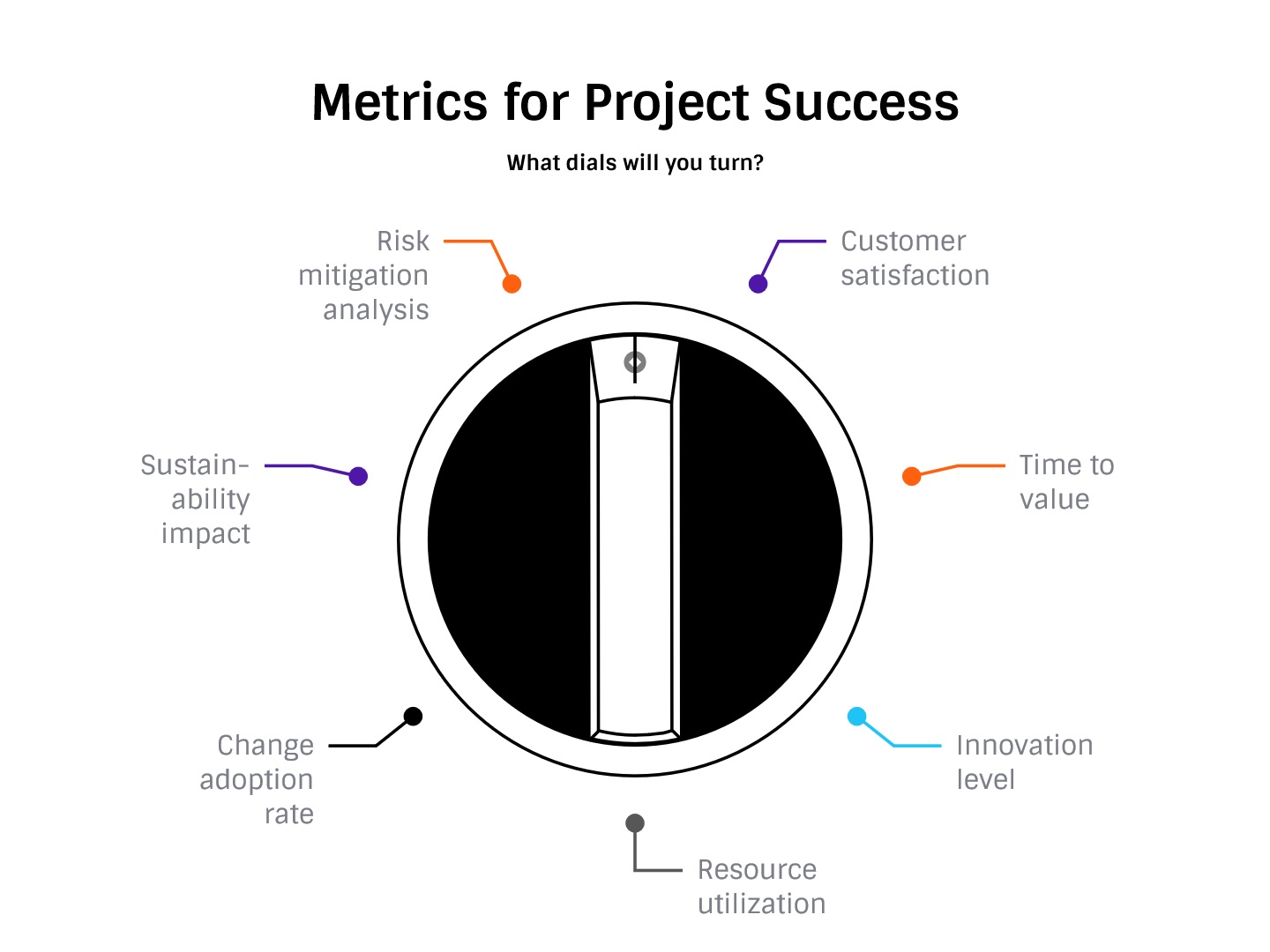
| Last month I looked at a range of alternative metrics for assessing success. One of the comments on that article asked how, on reflection, had I seen these or other alternative metrics implemented effectively. It also asked whether there were challenges that might arise integrating alternative metrics into existing project management frameworks (which I’ll look at in a different article). So, if you want to implement a more nuanced approach to measuring project success, how do you put this into practice? Below are some ideas. This topic is one that we could probably speak (or write) about at length, but hopefully the examples and ideas I share will give you some starting points for incorporating a range of measures into your project management practice.
This is an area where I have quite a lot of examples to share. In my book, Customer-Centric Project Management, my co-author and I describe an extensive exercise to set up customer satisfaction tracking on projects, with internal customers. I’ve written about customer satisfaction measurement on this blog before (start with this article: Lessons about project metrics). Basically, find out what is important to people, then track that regularly and plot your scores as part of regular reviews. You don’t have to use an ‘official’ CSAT mechanism, or pay for electronic survey tools. Just ask people as a minimum.
I haven’t used an innovation score regularly throughout a project, but it has been included in the way we rate projects and prioritize which ones should be done as the requests come into the pipeline. Implement an innovation score yourself on a simple Likert scale (1-5 or similar). Ideally, you don’t want the measure to be subjective, so set some criteria e.g.:
Or similar – you really only need a couple of measures to make up your innovation score. Use the innovation score as part of the decision criteria for whether a project should be taken forward or not.
Resource utilization reports are something I’ve only actively used on a couple of projects, because mostly we either haven’t had the tools to extract the data (because we aren’t doing timesheets or detailed estimates), or because staff have been 100% assigned to the project so we don’t have to worry about them splitting their time across projects. We would still have to worry about them being scheduled to do too many tasks in a week and being over booked, or under utilized, but when the team is full time somehow that’s easier to manage as you can see what they are doing and we speak every day. Use the reports to check exactly that: is the team going to struggle to meet its commitments? And if it is, because staff are over-scheduled, what are you going to do about it? Even the basic reports from Microsoft Project will give you utilization data, so take a look at what you already have within your tool suite and if you find it useful, use it.
The final one I’m going to talk about today is tracking risk mitigation effectiveness. I mentioned in the article that you could use AI-powered insights to establish the effectiveness of the risk management activities undertaken, but in reality I imagine that takes quite a lot of effort to set up. Another way to do this would be at project closure, or during lessons learned conversations, whenever these take place in your project lifecycle. Look at what the risk was and what was done to mitigate it. Score the risk based on the effectiveness of the action:
Using residual risk (and specifically, a financial value of residual risk) is a way to establish how effective your management action was – or at least, it’s one way to create data that allows you to assess that. Hopefully that gives you some pointers for measuring project success through different routes, with some more concrete examples of how to get started. |