

 In this instalment of Ask the Experts, I talk to Neil Stolovitsky, Senior Solution Specialist with
 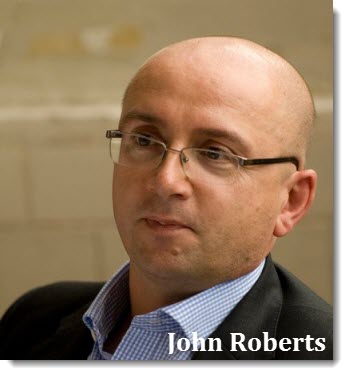 I was on a course recently and all my pre-course reading came on a Kindle. When I asked the instructors about it, they said it was because people travelling to courses were fed up with coming and going with huge heavy folders of paper. New technologies have changed how we choose to do many things, and training courses are no exception. I caught up with John Roberts, Director at change consultancy myProteus, about how training providers are adapting.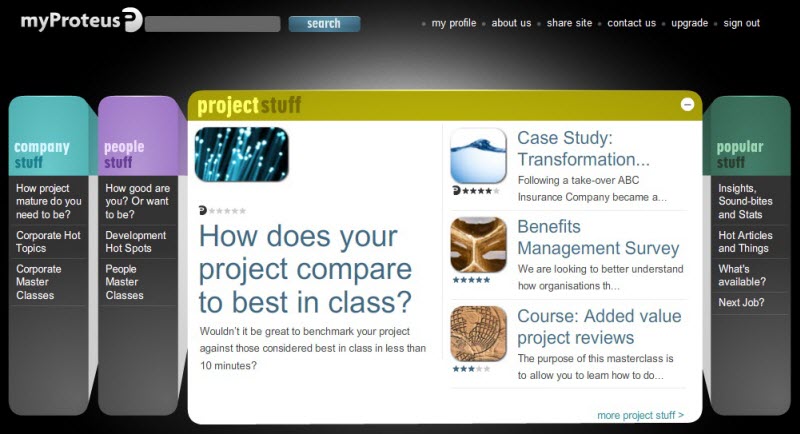

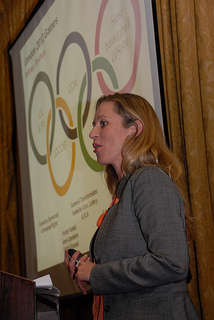 “When I started early in 2008, project managers were one of the groups I had to battle with,” said Holly Knight, Head of Sustainability at the Olympic Delivery Authority (ODA), at an


Guessing is not a strategy: How to build decision velocity with AI and real-time data
June 10, 2026 | Live Webinar

Who really owns the project budget? Clarifying financial accountability
How to learn AI the sensible way
Making sense of project cost reports
How real PM mentoring actually works
The Accidental Product Manager: What project managers need to know
accounting, agile, ai, appraisals, Artificial Intelligence, audit, Backlog, Benchmarking, benefits, Benefits Management, Benefits Realization, Bias, books, budget, Business Case, business case, business case, Career Development, Career Development, carnival, case study, Change Management, checklist, collaboration tools, communication, Communications Management, competition, complex projects, Conferences, config management, consultancy, contingency, contracts, corporate finance, corporate finance, cost, Cost Management, cost management, credit crunch, CRM, data, data security, debate, Decision Making, delegating, digite, earned value, Education, Energy and Utilities, Estimating, events, FAQ, financial management, financial management, forecasting, future, GDPR, general, Goals, Governance, green, Information Technology, Innovation, insurance, interviews, it, Knowledge Management, Leadership, Lessons Learned, measuring performance, Mentoring, merger, methods, metrics, multiple projects, negotiating, Networking, news, Olympics, organization, Organizational Culture, outsourcing, personal finance, Planning, pmi, PMO, PMO, Portfolio Management, portfolio management, presentations, privacy policy, process, procurement, product management, productivity, Program Management, project closure, project data, project delivery, Project Success, project testing, prototyping, qualifications, Quality, quality, Quarterly Review, records, recruitment, reports, requirements, research, resilience, Resource Management, resources, risk, Risk Management, ROI, salaries, Schedule Management, Scheduling, scope, Scope Management, security, small projects, Social Impact, social impact, social media, software, software, software, Stakeholder Management, stakeholders, Strategy, success factors, supplier management, team, Teams, testing, testing, timesheets, tips, training, transparency, trends, value management, vendors, video, virtual teams, workflow


|
Neil, Genius Inside’s latest release includes ‘baked in’ social media tools. How can project managers encourage team members to use the social features, if they haven't used Facebook or other social media tools before? Social media tools have become ever-present in the way today's information workers communicate both personally and professionally. We have been fortunate enough as a project and portfolio management software vendor to develop a very comprehensive and robust solution over the last 15 years. That being said, features and functions are only as good as their usage and ability to improve the way project stakeholders work. One of the biggest roadblocks we hear from the PM community is that social media tools can introduce pollution to their project information and can be dangerous in their inherent application to share uncensored information that can be potentially hurtful to a project's progress. In order for project managers to encourage their team members to adopt these tools they need to invest in a social media strategy that will work for their environment. If the recommendation of the appropriate tools are set up and are in line with the way they currently work, people will jump on board. The bottom line is, social media tools have to be positioned as a means to improve productivity and helping their team members in their every day work, and not just another piece of technology that will make their lives more difficult. Your product has a ‘wall’ feature. How does this help project managers work more effectively? We believe Genius Project's social media function Genius Live! will not only address the market's demand for these tools, but moreover will change the way project teams will communicate by allowing project information to pro-actively find its users, as oppose to the traditional usage of PPM tools where the user must dig through the system to take action and find strategic information. The idea behind the Genius Live! project wall is to push information to all project stakeholders, as oppose to digging through the project management system to find the necessary information to take necessary actions and make strategic decisions. We find that project managers are constantly faced with the challenge of getting to important project information to improve their performance and those of their team members and the project as a whole. The project wall feature is designed to eliminate this reality in a user-friendly and familiar design accessible from any web-enabled device. Sifting through information quickly can certainly be a time-saver. Why is recording time on projects important? It is no secret to the project management world that time is money. Recording time allows project managers and their stakeholders gauge where they stand against their plan. In addition, it helps organizations assess the efficiency of their teams and their ability to hit milestones in a timely manner. Genius Project has fully integrated time sheet functionality that allows users to post time against both project and non-project activities, and allows for an optional workflow for time sheet approval and review by managers. What's your top tip for getting people to record time? The best way to get people to record time is to provide multiple options, such as centralized time sheet and time slip functions, to capture time data in a simple format. In organizations in which there may be resistance to submitting time sheets, providing users with their own workspace to access their assignments and a centralized time slip option for each task will simplify the process. The primary goal is to provide a single method and location to record time to achieve the best results in accurate time capture. That sounds sensible. People can only record time against tasks that have been allocated to them. While we’re on the subject, what's your top tip for resource allocation? The main strategy for effective resource allocation is to have the necessary visibility into resources schedules when planning project workloads. This is best achieved when managing a single resource pool across all projects that ensures the accuracy of information, and also having the ability to quickly see resource schedules across all activities when deciding to assign the work in project plans. Thanks, Neil!
Neil has over 12 years of IT experience with end-user, consulting, and vendor organizations, along with extensive expertise in business development, software selection, and channel strategies. He has published numerous white papers and articles covering Enterprise Resource Planning (ERP) for service industries, Project Portfolio Management, Professional Services Automation, IT governance, and new product development to a global audience. Neil currently holds the position of Senior Solution Specialist with Genius Inside. |
|
John, how do you think models of training are changing and why? A key finding from the CIPD 2012 Learning and Talent Development surveyrevealed that traditional learning methods are considered amongst the least effective ways to up-skill employees but, in the absence of anything else, they tend to dominate most learning and development programmes. With the acceleration in economic uncertainty, organisations are keen to invest in the professional development of their people but can ill afford to provide costly face-to-face training for all. Increasingly organisations are looking for a more flexible solution that embeds learning and delivers an ongoing sustainable improvement in performance. To satisfy this need, it is imperative that models of training change to appropriately reflect different learning styles, embrace technology, be practical, enable self-help on an ongoing basis, embed best practice and facilitate real skills transfer. I see that companies are moving towards online learning. A product from your company, myProteus, provides online support – tell me more about that. Technology has clearly caused a sea change in the delivery of both learning models and project management tools and techniques, and has been instrumental in developing the myProteus offering. myProteus is a modular online self-help portal which is replete with project and programme management best practice, cutting-edge know how, and diagnostic self-help tools. It is designed for anyone involved with change, not just the project management professionals. Built upon the power of self-learning and customisation, it is more focused on the ‘how do I…’ of projects rather than the ‘what is…’ Not only does it provide the basics you would expect but it also makes available practical items and insights that can make a real difference to an organisation, its projects and its people.
Self-help ‘training’ is an interesting option. I image that helps project managers be more productive and spend less time (and money) on finding the answer? Projects are, without a doubt, getting harder. In fact, a recent survey we conducted revealed that 55% of projects are demonstrating more complex characteristics than those traditionally delivered in the past. This acceleration in complexity often means that organisations are embarking on projects of unprecedented size and scale, but using traditional training approaches which are unlikely to result in success. Self-help products, like ours, help project managers be more effective by:
Anything that helps project managers be more effective saves money. How else can the model of self-training benefit a company’s bottom line? It allows corporates to achieve a level of project maturity and performance faster and cheaper than would be the norm. Typical corporate benefits include:
We believe such bold approaches – demystifying project management and empowering employees throughout an organisation with the knowledge and skills required to manage projects effectively – hold the keys to making sustainable change truly achievable. Thanks, John! About The Expert: John Roberts is a director at myProteus, a change consultancy that has recently launched a mobile app for project managers and an app for project sponsors which contain market-leading insights built around the top ten themes identified by both project managers and sponsors in a survey. |
| The theme this month on Gantthead is personal project management: how we keep our own personal projects on track and organise our work. Here are some ways I manage this. Action listsI don’t use a PDA, or the task list in Outlook, or an online to do list app. I use paper. Lots of it. I have a notebook for my project – luckily I’m only working on one major project at the moment. If I wasn’t, I would still have just one notebook, with all project notes in it. I take notes at the front, and any actions that need doing are marked in the margin with an A in a circle. That makes it easy to scan the page and see what is a record of the meeting and what is something that needs action. At the end of the meeting, or when it is getting too confusing to flip through the pages, I copy all the actions to the back of the notebook, so that becomes my to do list for everything. Other symbolsI organise my handwritten notes with other symbols as well. I in a circle means an issue – something that needs adding to my issue log. R in a circle means a risk to be added to the risk log. W in a circle is an interesting fact that should go on the project wiki. An asterisk next to an action or any other item means – you guessed it – the item is really important. It’s not rocket science, but it’s a key that works well for me.
OutlookIt is bad practice to use Outlook (or any email client) as a filing system. It takes up too much disk space and it means your files can’t be shared. The newer versions of Outlook have much better search capability but it still isn’t perfect, so it can be difficult to find what you need again. I save copies of important emails to the project network drive (File/Save As). I also save attachments to the correct shared location and then the email itself can be deleted. Having said that, I do have a nested filing structure so that I can keep important messages. I archive the filing structures for old projects so that the emails are saved for a rainy day in case anyone ever needs them for auditing or contract discussions etc. Archiving them means they are not automatically linked to my Inbox and other folders, speeding up the search results and making it easier to navigate through what is actually important right now. If I need to see them again, I can open the archive, and then close it when I’m finished. Periodically I clear out my Sent items folder. Things that can be deleted include meeting invitations and responses (you can identify these in Outlook by the calendar symbol and you can also sort the Sent items list by that symbol so you can group them all together for easier deleting). I also delete any emails that just say ‘thank you’ or that are general chit chat. Items that are relevant for the long term are filed in the appropriate folder. My Inbox – that’s where it’s at. My inbox acts as my to do list. Anything in the inbox is to be completed, followed up or actioned in some way. It is also a way of keeping an eye on what other people are supposed to do. If I send an email to someone asking for something, I move the item from Sent to Inbox so that it is easy to see that I am waiting on a task. Equally, my inbox includes items on which I have just been copied in. There’s no action required from me, but it’s something important to the project so I want to make sure I have visibility of it so that I can follow up. Those are some tips that work for me at the office. What do you do? |
|
The overarching principle of the London Olympics has been to design with legacy in mind, and the desire was that the legacy was sustainable. The ODA is the government body responsible for the work in East London, effectively building the stage for a handover to LOCOG, the organising committee for the games. Think of LOCOG as an events company, Holly said, that would in turn hand over the location to the London Legacy Development Corporation to run the Olympic Park in the long term. “It was really important that when we started we had some strong leadership,” Holly explained. The team set high level strategic commitments for the programme, including 6 priority themes:
Each team in charge of a priority theme produced their own practical programme strategy, “a set of targets about how we were going to achieve it,” Holly added. The sustainability team took principles like One Planet living and used those as a basis for their targets and to set clear guidelines for what they expected from contractors. These were then used in the contract negotiations. The team also carried out what we would consider traditional stakeholder mapping, but called the resulting links “strategic alliances” (which is a term I like far more). “It was important that we did have relationships with groups like Constructing Excellence and the Construction Products Association,” Holly said, explaining that their stakeholder map was wide ranging and inclusive of industry bodies as well as those contractor groups directly linked to the work on site. Contracting the green wayThe Olympic programme had around £70bn worth of contracts across 50,000 contractual agreements. That’s a lot of paperwork, and a lot of contractors to get around spreading the word about the sustainability targets. The team needed to work on and with the supply chain, so they wanted to get sustainability into these contracts. “Procurement became one of our best friends,” Holly said. “The value of getting the procurement right was massive.” As a result, the sustainability team was fully involved in the contract negotiations. The selection criteria during the tendering stage included about 70% of measures for ‘traditional’ contract criteria and 30% on the priority themes, including sustainability. This meant that the priority themes and sustainability targets could be discussed with contractors in the very early stages and written in to contracts as appropriate. “But quite often when people turned up on site and we showed them what they had signed up for they didn’t realise,” Holly said. This was an issue when the sales and contracting team were a different group to the workers who arrived at the Park. As a result, there was a skills and knowledge gap. Holly explained that the sustainability team carried out a fair amount of “hand holding”. They ran workshops and delivered training so that the principal contractors knew what was expected and could cascade this information to the sub-contractors. The resultsThe sustainability team had 20 targets and sub-targets, and hit them all except for the sub-target around renewable energy. They smashed some, including the target for materials delivered by rail and water. They came in almost 30% higher than planned on that one. The velodrome is considered the most sustainable building on the park. The original steel frame roof structure was replaced with a cable net roof, which would not have been possible without excellent collaboration on the project between contractor groups. There were huge cost and health and safety benefits to making the change as well, so sustainability really does pay. Building sustainable structures also has a lower maintenance and electricity cost: for example, the swimming pool has removable ‘wings’. The venue needs 17,500 seats for the Olympics but other events only need around 3,000 – even events like the World Championships. So to keep the maintenance, heating and electricity costs down, the temporary stands will be removed after the event and the venue goes back to being a smaller space. A biomass boiler on the site reduces the carbon footprint but 30%. Overall, the programme has included some great leaps in sustainable design, and by planning this from the design phase of the individual projects, the London Olympics really can claim to be the greenest games yet. Photo credit: APM on Flickr |
|
A cat is a lion in a jungle of small bushes. - English proverbs |