What’s on your go live project checklist?


|
Every project needs a go live project checklist – at least, projects where there is a substantial ‘go live’ moment, like a software launch. The checklist is helpful because it confirms what is needed to go live: the steps and actions that should have been completed. It’s a reminder of what work is required in the run up to the big launch – or the small launch if you’re doing things in a phased or incremental way. I’m a big fan of go live checklists because they help take the emotion out of the decision about whether or not we are ready. If we have ticked all the boxes, we’re ready. It makes the go/no go call very straightforward. Here are some typical things to include on a checklist, although bear in mind that every project is different and you’ll need to make sure the items on your list match what it is you are doing.
We would also book a go live meeting. I remember one call we had for a big software pilot and going round the (virtual) table and asking each workstream leader to say ‘yes’ or ‘no’ depending on whether they felt the go live criteria had been met. It was a challenging call, because while we had on paper met the criteria, things were still a bit wobbly. These conversations give you a chance to get all stakeholders on the same page about whether to go or not, and that’s helpful for creating a shared sense of responsibility as soon as you make the decision to get started! I’ve noticed a trend towards incremental delivery and smaller launches, even on projects using a predictive methodology. There is still a place for a go live checklist, because getting everyone together to make a joint decision about next steps is still valuable. It’s the opportunity to get sign off on the approach and next steps from the business representatives, IT representatives, vendor, sponsor and anyone else who has an interest in what happens next. When to use a checklistTiming your go live is really important for maximum impact and availability of support staff. For example, we would never put an IT system live on a Friday as there would not be enough project team members around over the weekend in case of issues. We would put software changes in overnight, and have enough staff around in the morning to monitor the system and deal with any unforeseen issues. Think about when you are going to have your go/no go call and when your go live is going to happen. The call itself needs to be close to the go live but probably not the same day, for example it would work well to have a call on a Friday for a Monday go live, or a Tuesday for a Thursday go live. But look at your schedule, consider the impact on users and make a decision as a team. Do you use go live checklists? What other items would you put on a generic checklist? Let me know in the comments below and save this post so you can come back to it when you need it! |

5 Considerations for Assigning Tasks to Team Members
| I’ve chosen a bad headline for this article: I have an issue with assigning tasks – it doesn’t feel like the collaborative, co-created environment I would like to work in. Ideally, we’d meet as a team to do some planning, have a workshop or two and then tasks would be selected by the right people. If we had Kanban boards, team members would be able to select what they want to work on – because as long as they are working on something, the board would manage the priorities and it would be all good. However, sometimes on projects you do need to reach out to people and assign them work, even if you ask nicely. Sometimes it happens because it’s obvious who is going to do the work because there is only one person in the organisation who can do it anyway. Let’s take ‘assigning’ in the broadest possible sense, so it doesn’t mean ‘expecting people to do stuff on a project without engaging them’. Because regardless of whether the work is obviously destined for them, it’s always polite to ask. Here are 5 considerations to take into account when distributing tasks to team members.
1. CapabilityThey have to have the right skills. If you are looking for colleagues to contribute to your project, consider the tasks they are going to be doing. The person who ends up with the task has to have the skills to carry it out. Of course, there are exceptions to that, and we often use people working through an apprenticeship or less experienced staff to complete tasks as part of their on-the-job learning. They will be supported by an experienced colleague, but if you don’t learn, you’ll never get the confidence or skills to do it yourself in the future. Factor in additional time, support or training budget if necessary so you can make sure the people taking on tasks are equipped to do them. 2. CostPeople need to be budgeted for at different rates. Consider the cost impact to your budget if you assign tasks to people who are expensive! 3. AvailabilityPeople’s availability is a constraint on your project timeline. If the person allocated to the task is on holiday, they won’t do it, and the task will be late. That might be fine – perhaps you have the flexibility to schedule around the best person for the role and the work can wait until they get back. Perhaps you have a fixed date to hit and need to find someone else. 4. LocationDoes it matter these days? I think it depends on the role. If I want in-person, classroom based train-the-trainer training so I have a team equipped to go out and deliver on site training, then I do need them to be within travelling distance. If it’s a graphic design job, they could be anywhere. Think about where the team members are based and whether that matters to the task in hand. 5. Cultural addI was talking to someone the other day about one of their colleagues who was considered a ‘toxic cultural fit’. The challenge with cultural fit is that it can be interpreted as simply hiring people who look like you and think the same as you, so they slot neatly into the environment without disruption. That’s not what this is about. Consider ‘cultural add’ instead. We want diversity of opinions. We want new ideas and different interpretations. We want disruption and challenge. The people on your team should lift you up and make the team, and the solution, better. What do you consider when working with your team to divide up the responsibility for tasks? Is there anything else you take into account? Let us know in the comments! |

5 Tips for Creating Psychological Safety
| When I first started out managing projects, I had never heard of psychological safety. It’s a concept I’ve only come across in recent years, and it’s fascinating. Psychological safety is part of what I would have called a blame-free team culture in the past: the idea that you can talk about hard things without worrying that there would be career consequences for raising challenges. A report came out from the UK Ministry of Defence at the end of last year on psychological safety in projects, and the report defines it like this: Psychological safety is the idea that we can be candid and raise issues without fear of reprisal. The MOD manages plenty of high profile, high stakes projects, so they know a thing or two about how to create empowered teams – and also the consequences of what happens when projects don’t go to plan. Here are 5 tips from the report that resonated the most with me.
1. Be presentUnsurprisingly, leadership behaviours were found to significantly psychological safety in teams, and if you’ve ever worked with a leader who made you feel like you never wanted to open your mouth to say anything in a meeting, you’ll know why. The role we have as project leaders is key to shaping the environment and creating a safe space. From the 240+ surveys carried out to inform the report, a key takeaway was to be present in the project environment. Being visible means there is a route for people to get in touch with points to escalate, progress updates or issues. 2. Reaffirm the direction and goalsThe research found that clarity of direction was the second most important factor in creating psychological safety, after the behaviour of leaders, and it’s not hard to understand why. We feel more comfortable raising concerns if we understand the mission and have a clear direction to follow. Plus, it’s easier to challenge behaviours and tasks that don’t support the mission, because everyone knows that’s what should be pulling focus. The report concludes that project leaders should continually have conversations about the direction, especially when the context changes, for example economic or political changes. 3. Ask for (and give) helpOver 80% of people who responded to the MOD survey disagreed that it was difficult to ask others for help. However, it also identified that it was harder to ask for help outside of an individual’s specific team. The lesson for us is that we should build working relationships across silos and up and down the hierarchy to be able to establish trust and respect across the organisation. 4. Create a learning cultureA culture of learning “mediate[s] the relationship between psychological safety and team performance”. Project professionals can create a learning culture by being open to finding out more from their peers and colleagues, and also through sharing information and lessons learned freely. 5. Recognise individual excellenceI’ve written a lot in the past about how to celebrate team success and making sure to mark project-related milestones. But recognising individual contributions is just as important. Ideally, we should be rewarding contributions as well, so if your company has a staff recognition scheme, it’s time to dust off the submission guidance and think about who you could put forward for an award. The report says that project leaders should ‘unlock purpose and empowerment to drive value’ which I interpret to mean helping the team see that their work is making a difference. The research report has lots of other interesting takeaways, but those were the key headlines for me. I’d be interested to hear your tips for maintaining psychological safety on projects – let me know in the comments! |

What is BCF analysis?
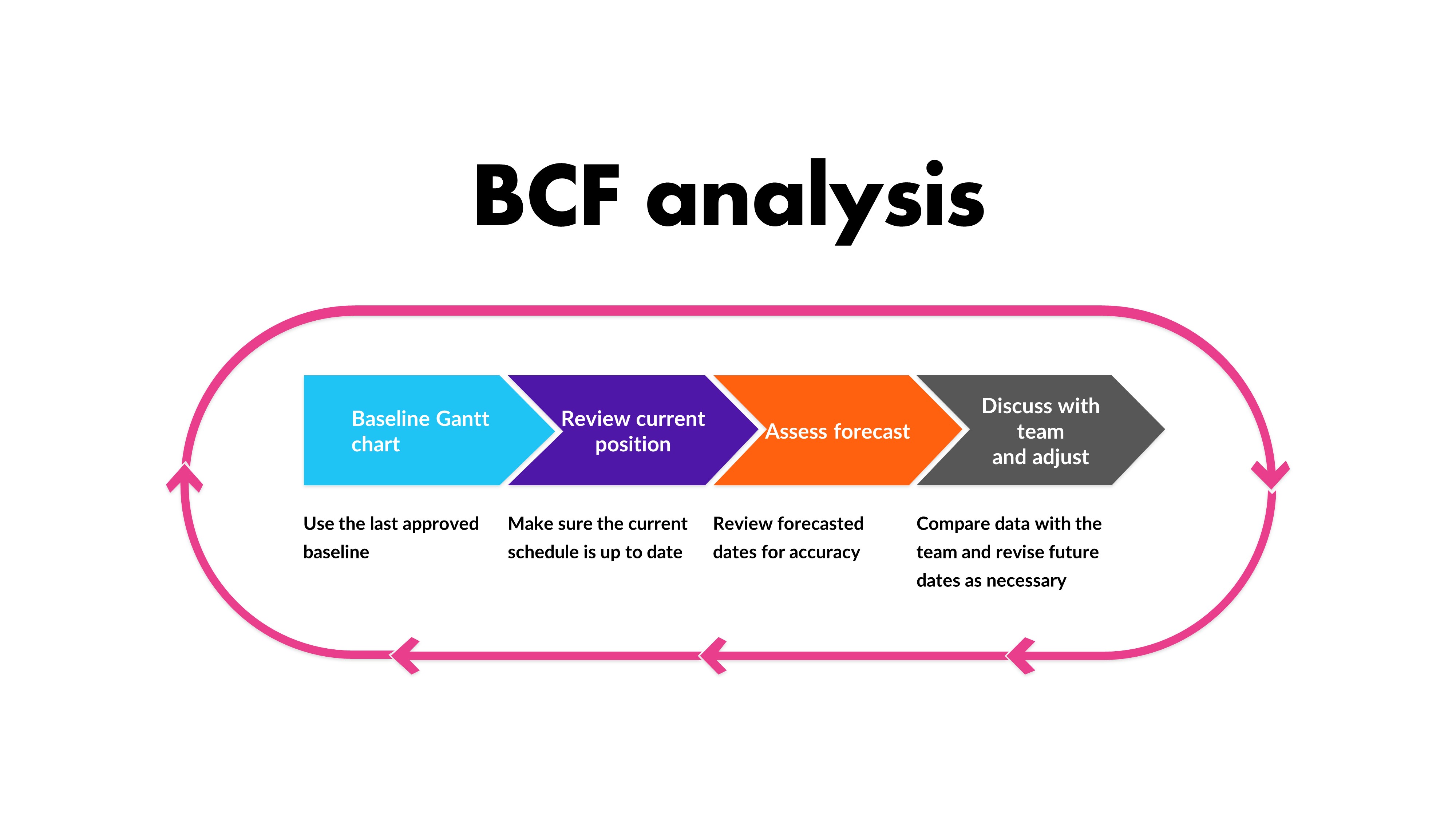
| You know all those baselines you save in Microsoft Project? All the snapshots of your plan you keep just in case? Well, they are hugely useful for looking at to compare actual performance against forecast, so dust them off and let’s start using them. BCF stands for Baseline-Current-Future and it’s a way of looking at comparative schedules. As a schedule control tool, it’s easy to use, easy to understand, and it’s a useful way of discussing project progress and performance with the team without having to go full earned value. Plus, it’s not much work for you as the project manager, as you probably already have the details available. Here’s how to do it.
The processFirst, take the baseline Gantt chart. This will be the latest saved version of your Gantt chart that is an approved baseline. I know software tools can keep baselines saved in the software, but I do tend to keep a separate version of the whole file saved with the date in the filename, just so I have a back up of exactly how the plan looked at the point of the last official review. You’ll also need an up-to-date position for what is happening right now, so if you don’t have team members entering data in real-time, you might have to give them some notice to get their data into the tool. Then, you’ll need the future scheduled dates; what you anticipate the rest of the schedule will look like. This is your forecast, and will be the information in your schedule for the dates that haven’t yet happened. Just give them a quick review to make sure they are still accurate and reasonable before you take them as finalised for this exercise. Compare the baseline against the current and future positions. You can do this with a table that shows the milestones, or a Gantt chart that shows the various different bars on the same chart so people can see slippages and changes. Talk to the teamWhen you have prepared your analysis of the baseline and current/future position, circulate the comparison for discussion. Ask:
And anything else you think is helpful to ensure that the discussion is productive and you get what you want out of it – which should be increased confidence in your future scheduled dates. You’ll probably find that there have been some changes that have not yet been reflected in the schedule. There might also be some interesting takeaways about why things changed. Feed these into the lessons learned documents – in fact, it might be valuable to have this discussion on scheduling as part of your pattern of retrospectives. Schedule analysis is a useful tool to understand what happened and take from that some actions or learning that would help you do things differently in the future. In addition, it helps with being able to set expectations for stakeholders so they have the confidence that the schedule is deliverable and the team are onboard with what they need to do when. What other tips do you have for using project baselines? Let us know in the comments! |
5 Ways to Improve your Budget Situation
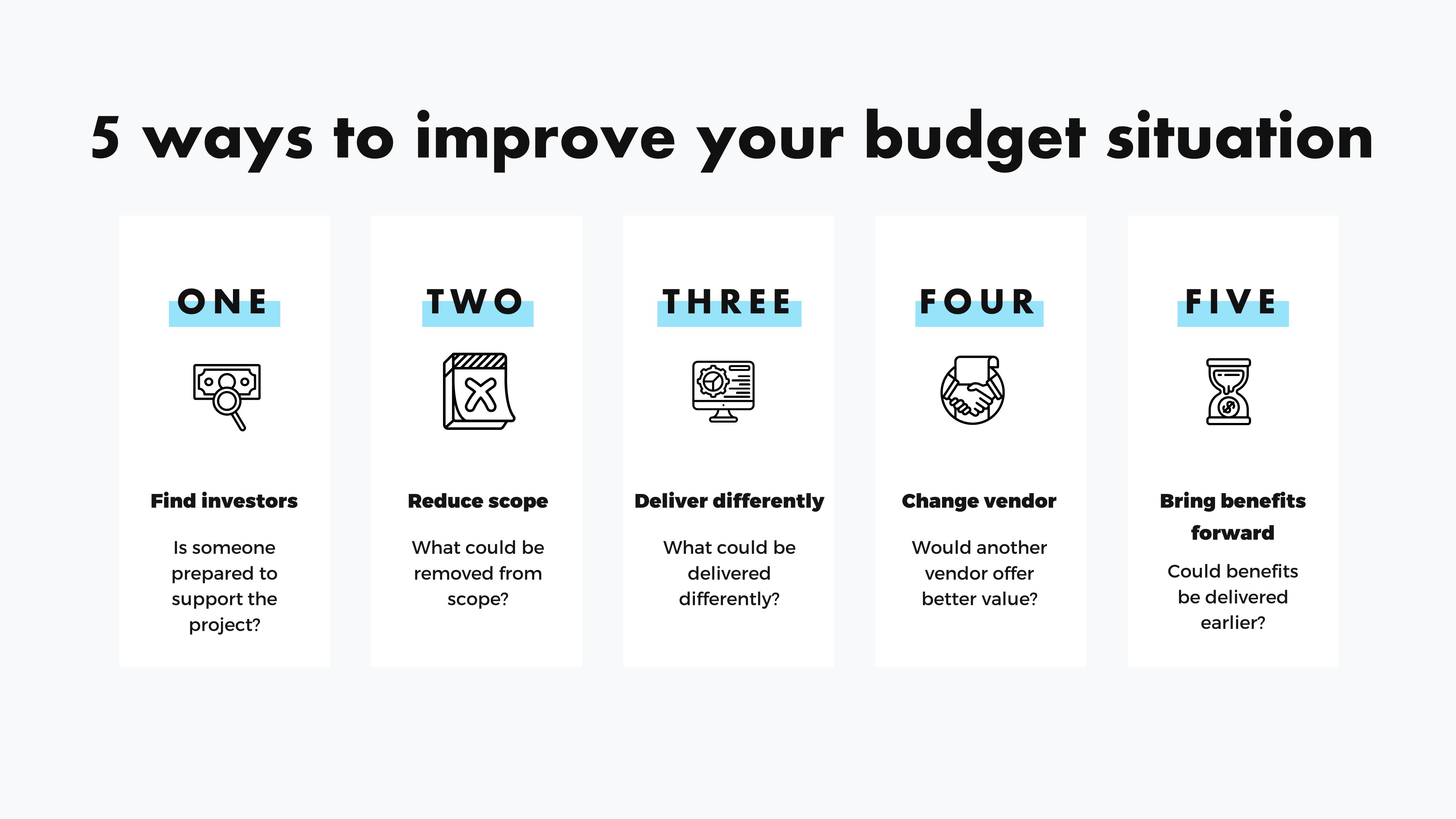
| I’m lucky in that the projects I am working on at the moment have a requirement for resource time, but we can manage the work in-house so we don’t need to invest in anything else. However, in the past I have managed projects with substantial budgets – and also those with small budgets. Personally, I think that managing smaller budgets is harder because there is less wiggle room to lose a small amount in the rounding, but we have to work with what we have. When something on your project changes and your budget is reduced, you might have to look at creative ways to make the money go further. Here are some suggestions.
Find angel investors/donorsOK, let’s get this one out the way first! I got this example for the Project Management For Musicians book by Jonathan Feist, and it’s clear that it won’t work for all kinds of projects. I couldn’t run an SAP deployment by finding a lovely benefactor who just happened to want to sponsor an ERP implementation from the goodness of their heart. But if your project is to run an event, stage a show, or something similar, perhaps this is an option for you. For example, if a benefactor donated a certain amount, they could get a free ticket to the gig. I’m sure much of the world of PR and event management taps into this option all the time. If you do go down this route, just be sure to make sure whatever you do falls within the ethics guidelines of your organisation as you don’t want to be seen as taking or giving bribes or hospitality gifts that could get you and your company into trouble. I’m including this one really as a prompt to ask you to think creatively about the situation you are in and what might address it. Do less: reduce the scopeThe classic way to save money on a project is to do less. Look for chunks of the project that could be pushed into a Phase 2 or subsequent initiative. Typically, if you remove scope, you are also removing cost because the work takes less resource to get done. Analyse what could be removed to save money but would have minimal impact on the end result. There probably isn’t much that falls into this category, but there might be something. Do different: change the scopeAnother common way to reduce spend on a project is to look at changing the scope to deliver the goals in a different way. What about these switches:
What else could you switch? Let me know in the comments. Change vendorsIf your project involves buying in goods or services, you could also consider changing those providers. Perhaps another vendor would be cheaper, especially if you looked further afield. Depending on the work, changing vendors could be more expensive, especially in the short-term. Pulling experienced contractors who know your business off a project and replacing them with remote contractors will have a learning curve, even if the skillsets of the two consulting firms are identical. Factor that in before you make any proposals. Alternatively, consider the cost of bringing the work in-house. Would it be cheaper to hire someone on a fixed term contract than it would to get a supplier to do the work? Bring benefits forwardAnother option would be to look at how the project could be reordered to bring in some benefits earlier. For example, with a product launch, could you get a beta version out early to start bringing in some income that could be offset against future improvements. If the deliverables can start bringing in some cash, that could change the financing of the work and improve the budget situation on paper, which might free up resources or investment for the next wave of development. These are just ideas, and I hope you don’t have to use them! |