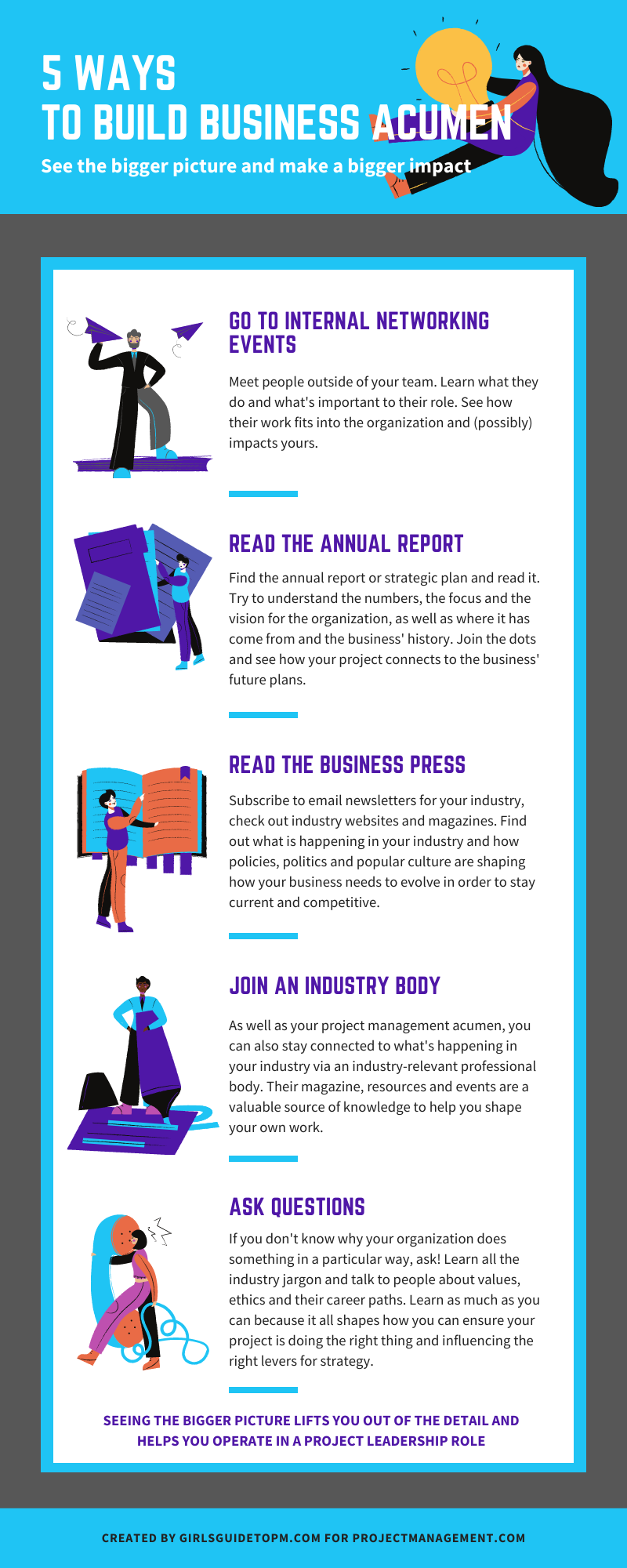
5 Ways to Build Business Acumen [Infographic]


| Here are 5 ways to see the bigger picture in your work in order to make a bigger impact with what you do.
There is more about each of these in the infographic below.
|
Plan Risk Responses: Process Overview
|
This article is the tenth part of my look into project risk management, and today the topic is how to plan risk responses. Who knew there would be so much to say about risk? What does it mean to plan risk responses?When you plan risk responses, what it means is that you are working out what to do about the risks you have identified. As you are doing the analysis, you’re probably talking to the team about the different options for addressing the risk, making judgements and plans as you go. The thing with all the risk management processes is that they can all happen in quite a short period of time, and often within the same conversation – especially for smaller risks and smaller projects. However, for the purposes of our discussion today, we’re looking at making sure the risk responses are considered, selected and agreed by the people who matter. You’ll also allocate people to do the work of implementing the risk responses so that you actually manage the risk and don’t simply talk about managing it. InputsThe inputs to this process are:
What documents should you review?The risk register and risk report are the most important documents because they give you information on what the risks actually are and how exposed the project (and/or business) is. That will inform your choices about how you respond to risk. First, check the Lessons learned log – check to see if any past risk responses were particularly helpful or pointless so you can repeat/avoid the same things in the future. The rest of the documents you may need to refer to are to do with the logistics of making sure the risks can be managed adequately. The project schedule is helpful so you can fit in the risk response plans and make sure there is time to do the work. The team assignments and resource calendars will also help. The stakeholder register will give you clues about ownership if you don’t have volunteers to lead on risk response actions. In practice, many experienced project managers won’t turn to those documents to find the answers – they’ll simply talk to the team and then update the schedule with any tasks that need to be added once the responses are agreed. Tools and TechniquesResponding to risk is a lot to do with expert judgement, so in my experience, this is the technique you’ll use the most. Rely on your subject matter experts and talk to them about how best to respond to threats, opportunities and how to manage contingent risk with the associated strategies and triggers in place. Basically, you need information from the experts and you gain that through interviews and facilitation (data gathering and interpersonal and team skills). Talk, talk, talk, and seek out the people with the answers. You can also employ some data analysis techniques to back up what your experts are saying or to help you choose the best response if there are several options. For example, alternatives analysis can help you compare the different options and select a course of action that will lead to an appropriate result. Cost-benefit analysis is another tool. Some risks will cost more to mitigate than they would if they happened, so this type of calculation can help you decide how much budget to spend on risk responses and whether the benefit of that investment is going to be worth it. Finally, you need to make a decision about what risk response plan to accept, so decision-making techniques for groups can be helpful. Consider the criteria for making the decision before you get to the actual decision-making part of the debate, as that will help give the team some structure. Typical criteria for making a decision on risk response include:
And so on. If your team doesn’t have much formal experience of making this kind of decision, I find it helpful to have the criteria available for us to review as we are discussing the risks. OutputsThe outputs from this process are:
In other words, there are lots of admin jobs to do once you’ve made your risk response plan because you’ve got a lot of paperwork to update – admittedly all of it is now electronic so it’s not so difficult to do. Review all the plans: update the schedule to reflect what you’ve just agreed to do, update the cost management plan to include any money now being spent on risk response, and review resource plans to ensure they are still accurate. Update your baselines if necessary. If your risks affected suppliers, make sure any changes to the procurement plan are incorporated. As part of your discussions and approved response plans you might have uncovered new assumptions, new lessons and even new risks. Make sure team assignments accurately reflect the work you are expecting people to do and make sure the risk register and risk report are updated with your plans. Next month I’ll be talking about 5 strategies for dealing with threats. In case you missed them, and to save you a job digging through the archives, here are the quick links back to the previous instalments: Read part 1 here: An introduction to risk management Read part 2 here: Trends and Emerging Practices in Project Risk Management (Part A) Read part 3 here: Trends and Emerging Practices in Project Risk Management (Part B) Read part 4 here: Tailoring Risk Management Read part 5 here: Planning Risk Management Read part 6 here: The Risk Management Plan Read part 7 here: Identify Risks Process Read part 8 here: Qualitative Risk Analysis Read part 9 here: Quantitative Risk Analysis Pin for later reading:
|


Risk management: A common cause of overspend [Video]
Categories:
risk
Categories: risk
|
A common project budget problem here is when you didn’t budget anything for project risk management. Then a risk pops up and you’d like to do something about it and can’t because there’s no money allocated for risk mitigation or to exploit a positive risk. It’s too late to go back and ask for a risk budget now… or is it? You might find your sponsor open to that kind of conversation, and it certainly doesn’t hurt to ask. If you don’t have additional money available then you have to adjust your activities accordingly. Perhaps your project board could accept a higher level of risk for that element, or they would be prepared to compromise on something else. Put together a proposal that explains the risks, the costs and the benefits along with some options so that they have choices. Pin for later reading:
|

Predictive Software: The Next Step for Collaboration Tools
Categories:
collaboration tools
Categories: collaboration tools
|
How much time do you spend doing routine tasks? Just think about how long it takes you to type things like your company name or location details when they get mentioned in an email. For a long time, Outlook (and I expect other tools) have had autocorrect functions that allow you to type something and have it ‘autocorrect’ to something else. It’s a text expander feature – and you get tools that lay on top of your normal suite of applications that just do text expanding. I even have that function built into my iPad, which is handy when it comes to typing out my email address every time. Now I just type a shortcode and the whole email address populates. Predictive text takes this one step further by working out what you are going to type before you type it. Predictive apps use passive data, for example, emails, to suggest tasks and updates. Think predictive text when you are trying to type a message on your phone, and scale it up so that the app sends suggestions to your To Do list about what activities you should be working on that day or flags which deliverables are likely to be late because of software defects logged in your testing system. Many tools are already embedding AI into them to help users have less to do. I was looking at one retrospective meetings management tool the other day and it used AI to automatically name the groupings of sticky notes we created in the meeting, based on the common content of those notes. Clever. It wasn’t always grammatically correct, but it saved us the job of typing a name for each group (although we could edit them if we wanted). Predictive software sounds like it’s taking the thinking and professional judgement out of being a project manager, but it’s just crunching data for you. For example, you can’t hold information in your head about how accurate each individual team member has been in estimating their workload on this project and the last five projects they have worked on. Predictive software could sift through estimates and actuals, and then flag the three team members with the worst record for getting their estimates right so that you can appropriately challenge them. This kind of system requires a particular leap of faith as it scours other systems for data. As a community, we’re going to have to go a long way before we are all comfortable with the idea of an app reading our emails and digging through personal files, even if it does predict who isn’t going to hit their deadlines that week. Whatever collaboration tools you adopt at work, and however you use them, keep in mind that they should be compatible with and reflect what is going on outside the walls of your company. Technology and workplace cultures will continue to evolve and the key is going to be keeping up and staying relevant while making sure your teams have the tools they need to do their jobs productively. That might mean embracing AI and predictive functionalities of tools, even if it feels a teeny bit uncomfortable to do so.
This article includes a few points that were made in my PMI book: Collaboration Tools for Project Managers. Given what we’ve been going through and seeing so far this year, it felt appropriate to try to pick out some comments on tech for teams and where that might be taking us – because it seems to me that virtual working is here to stay. Pin for later reading
|

 The future is in flatter, more informal working cultures supported by unified organizational collaborative technologies. We might not refer to the tools that way (or even be using the term social and collaborative media) in ten years’ time, but the principles that underpin this revolution in working practices are here to stay.
5 Ways to Make Outsourcing Work [Infographic]
Categories:
outsourcing
Categories: outsourcing
|
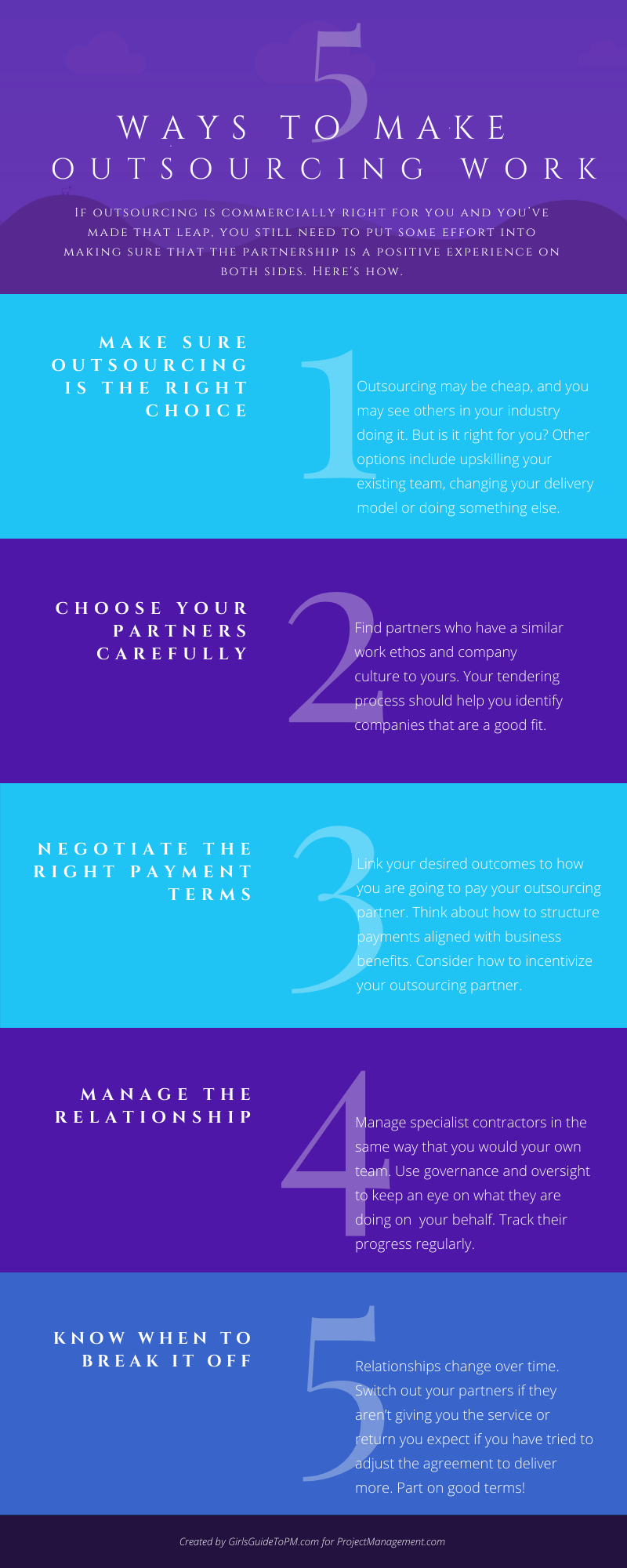
If outsourcing is a commercially viable option for you and you’ve made that leap, you still need to put some effort into making sure that the partnership is a positive experience both for your and your outsourcing partner. The infographic below shows five focus areas for making sure your outsourcing relationship is a positive as possible.
The 5 areas are:
|